





Changelog

Product changelog
Commslayer Voice: Native phone support is live
A few months ago I wrote in our Slack, “We need our own native phone,” after dealing with paperwork for an integration with another voice vendor. Now we have one!
You can buy a phone number inside Commslayer and make and receive customer calls directly in the browser, without having to deal with a separate app for phone support.
Every call shows up in its own voice inbox. We match the caller to their customer when we can, so their Shopify order and earlier conversations are already next to the call.
After the call, the recording, transcript and a short AI summary of the issue are saved to the conversation. Missed calls and voicemails show up in the inbox too.
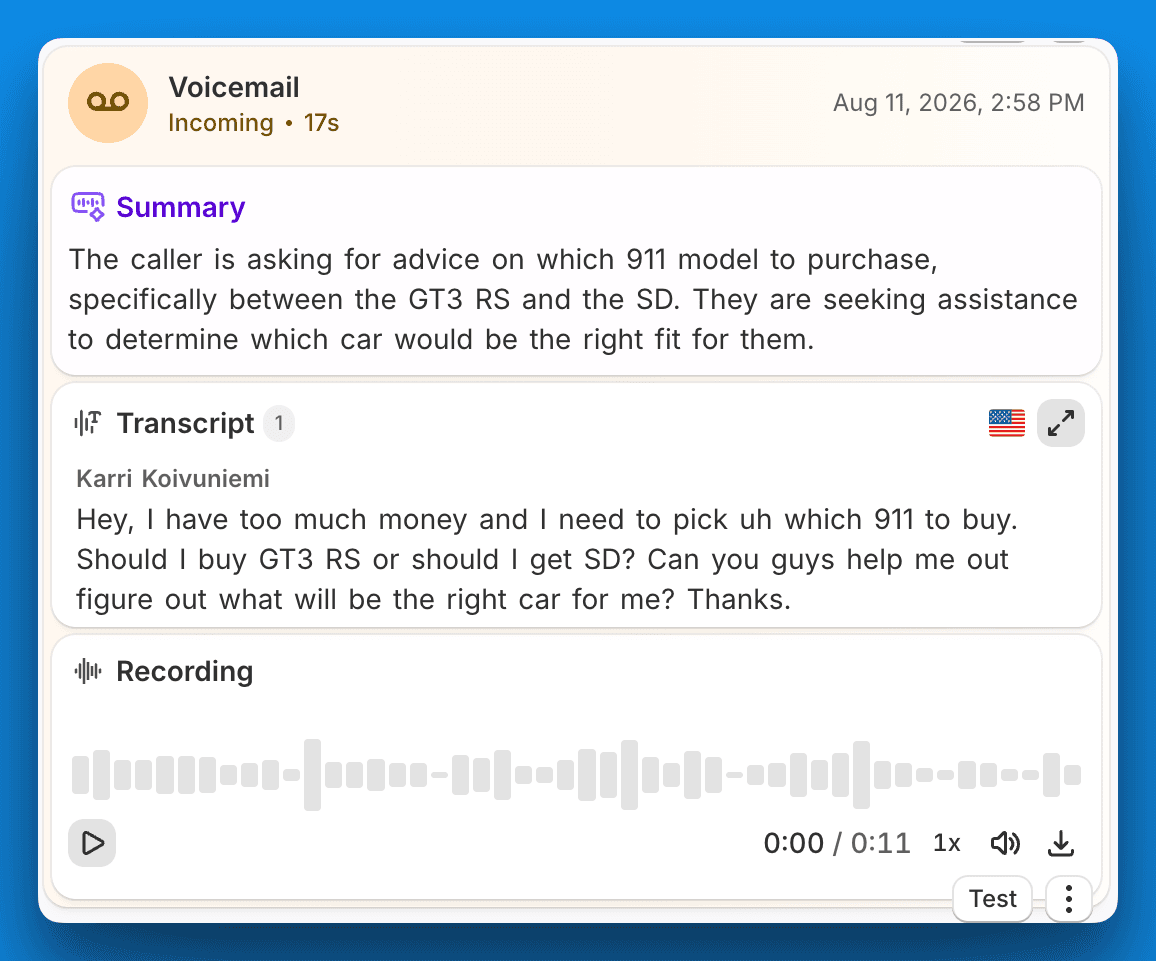
We tried to make this a full Quo / OpenPhone replacement, so it already includes:
Transfer a live call to another online agent
Voicemail, business hours and phone menus
Inbound, outbound, answered and missed calls in Reports, plus average wait time, talk time and an agent breakdown
To set it up, go to Settings → Inboxes → Add inbox → Voice.
Pricing
You can choose a number and set a monthly spending limit. Calls are billed per minute, plus a small monthly fee for each number. The rates are shown before you buy anything.

Dirty details
If you are on an old plan, you’ll need to move to one of our latest pricing plans to enable per-minute usage pricing. If you are on an old grandfathered plan, we’ll help you set up an equivalent option without paying a lot more.
We haven’t added number porting yet. It’s a bit of a rabbit hole, and for most brands updating the support number is easy enough. But if keeping your current number is the thing stopping you from switching, let us know.
An AI agent does not answer these calls yet. The Voice AI agent is coming soon and will get its own update once it is live.
Also, if there’s another reason you wouldn’t switch your phone support to Commslayer right now, tell us. We want to know what’s missing!
-Karri
Read more

Product changelog
Native customer portal
You can now host your help center inside your Shopify store instead of on a subdomain. The pages live on your own domain, so they're SEO/GEO friendly, and they pick up your store's fonts and colors automatically.
(There's a manual override if your theme's styles don't come through quite right. And if you'd rather keep help.yourbrand.com, that still works too.)
This is the first step toward a bigger plan: turning the help center into a full customer portal. Answers, order tracking, returns, subscriptions, one place inside your store, wired into the AI agent and your support inbox.
Here’s a demo portal: https://911whatsyouremergency.com/apps/help
Embed into your store
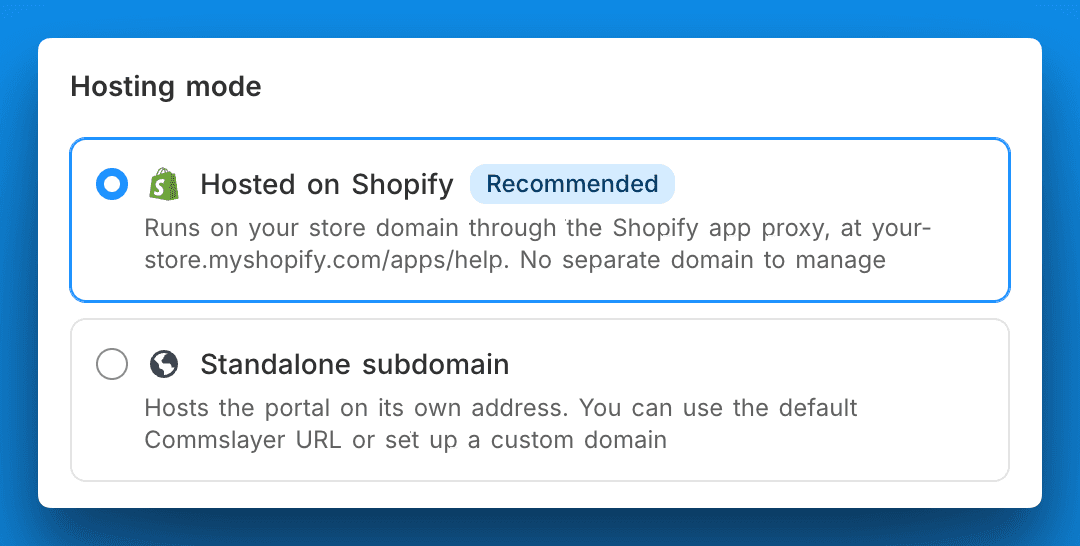
You can host the help center inside your Shopify store instead of on a subdomain. The pages are SEO and GEO friendly because they're native shop pages living on your own domain.
Inherits your store theme
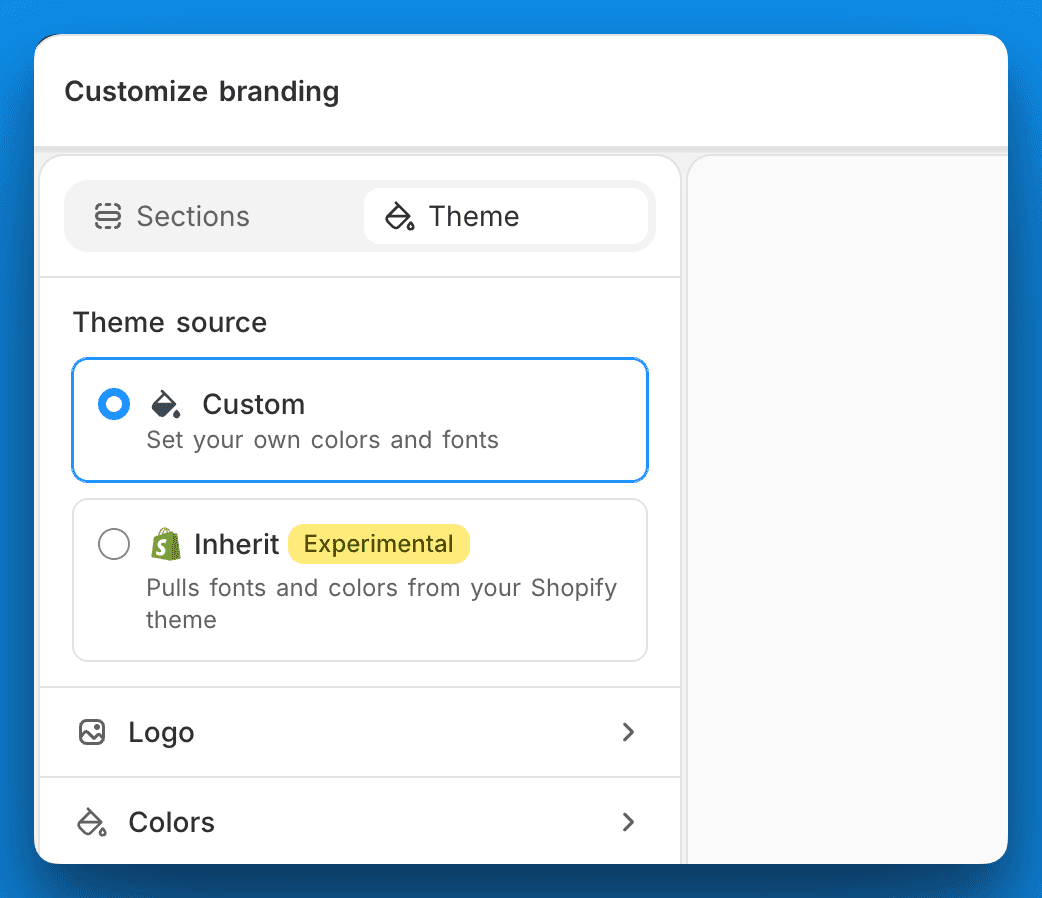
Switch on Shopify hosting and the portal loads inside your store at apps/help, picking up your fonts and colors. There's a manual override if your theme's styles don't come through quite right.
Auto-translate articles + new article editor
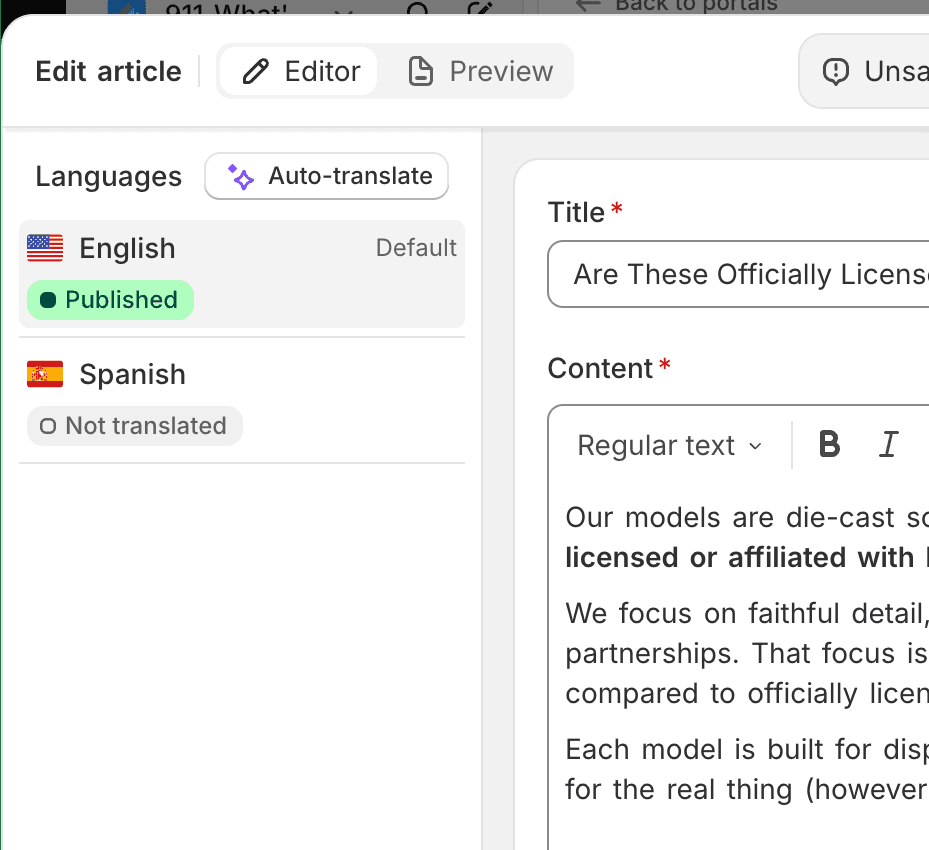
Write the article, hit translate, and the whole thing gets translated into every language you have a locale for. The text editor was also rebuilt with bunch of improved features.
Doesn't matter much since I know most of you will be slopping out help articles via MCP anyway, but hey - it looks cool!
Returns, order tracking & order management
Native returns, order tracking and order management are next. Right now those sections just say "we're cooking" because, well, we are.
Read more

Product changelog
Automations can now wait
You've asked for this dozens of times: Automation delays are live.
You can now tell any automation to wait before it acts. Pick how long, and the action fires once that time passes.
Before it fires, we recheck the conversation. If anything changed while waiting, we cancel. You won't send a "still waiting on you" nudge to someone who already replied.
A pending reminder
Set this up once and stop chasing customers by hand:
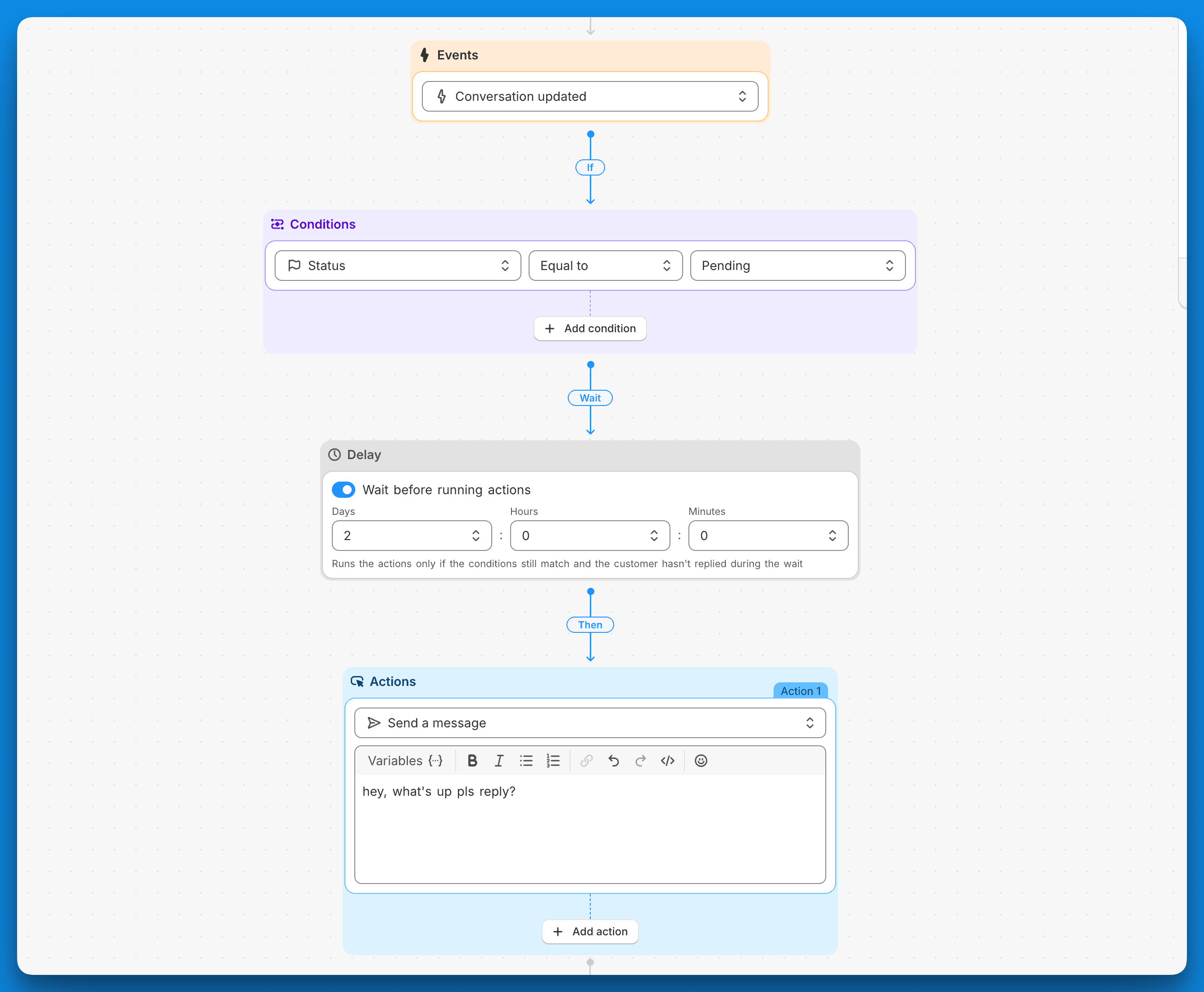
Event: Conversation updated
Condition: Status is Pending
Delay: 48 hours
Action: Send a message
If the customer replies or an agent resolves the ticket inside those 24 hours, we cancel the message. If it's still Pending, it goes out.
If your AI agent is on with its Pending action enabled, it already sends these reminders. Use this automation for conversations where no AI agent is assigned.
Auto reopen forgotten tickets
Agents park tickets on Pending and forget to snooze them back to Open. Now you can catch those:
Event: Conversation updated
Condition: Status is Pending
Pending Delay: 48 hours
Action: Set status to Open
No more tickets lost in Pending limbo.
You'll find Delay as a new step in the automation builder. Stack it onto any rule you already run.
Read more

Product changelog
Send messages via the MCP & 2FA
Send messages via the API & MCP
You can now send replies straight through our API and MCP, so Commslayer isn't a closed box anymore. The MCP support means you can hook it straight into Claude, ChatGPT or whatever agent setup you run. Claude or whatever agent system you use can also check the order and subscriptions data, but can’t do order actions for now.
Note: sending over the API and MCP is only enabled on the new conversation-based plans
Two-factor authentication
A support inbox is a honey pot: order histories, customer emails, shipping addresses, etc. A leaked password shouldn't be the only thing standing between all that and a North Korean hacker.
You can now enable two-factor auth in the Profile settings → Two-factor authentication
Ask your colleagues to also do it.
Hourly heatmap in Reports
A new conversation traffic report shows ticket volume by hour, with an average row and CSV export. Useful for staffing around your busy hours instead of guessing.
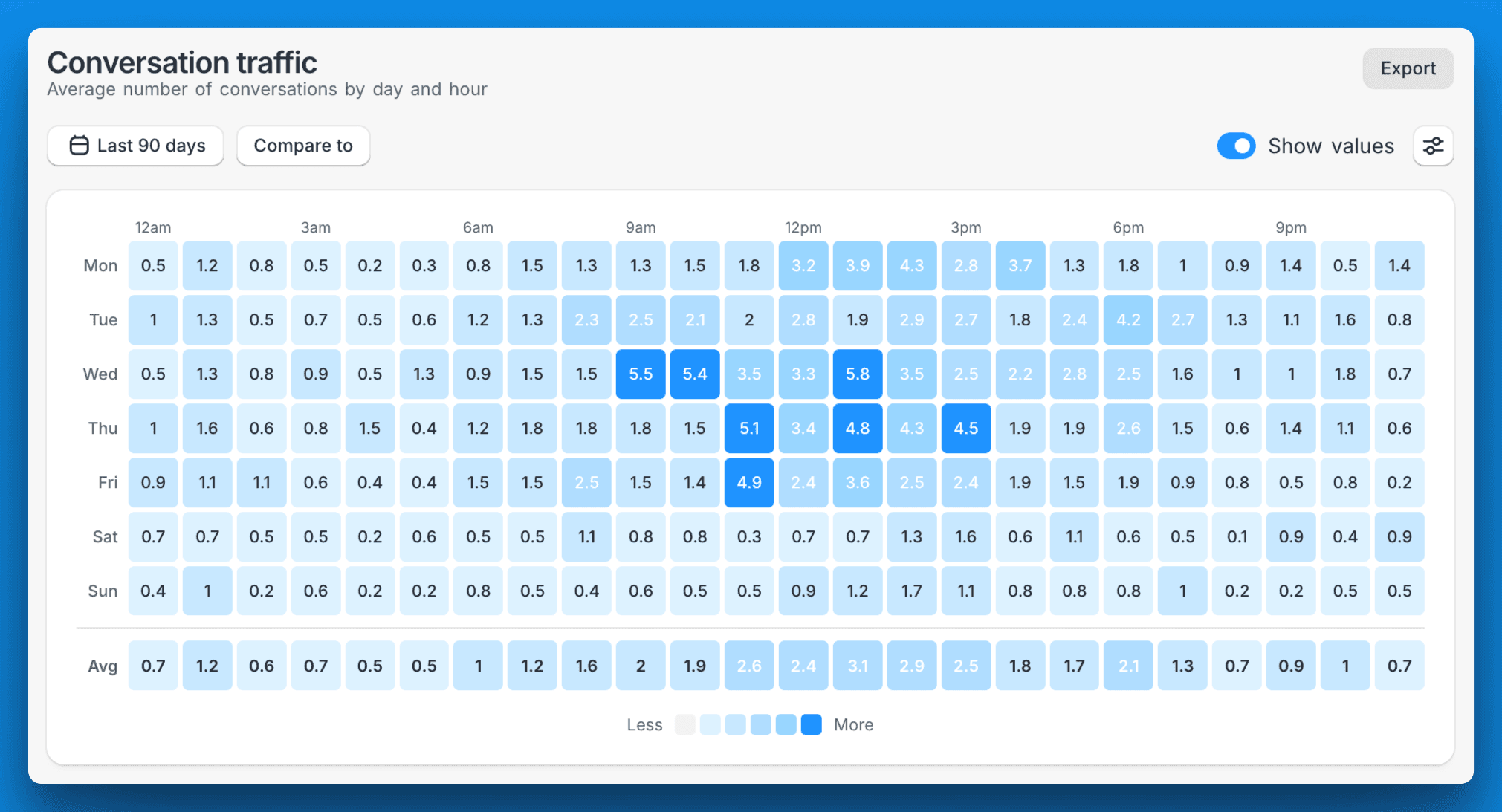
Other reporting updates:
Filters: Most reports have filters now
Order data in the Conversations report: Every row in the Conversations report now shows the linked Shopify order number and SKU. Makes it easier to analyze which product is driving your ticket volume
AI agent updates
The agent now recognizes an already-cancelled subscription instead of trying to cancel it again, and tells the customer when it was cancelled
Better at finding a customer's subscription even when they write in from a different email
No more invented Shopify collection links. It now uses your store's real collection URLs
Other
Automations can trigger on message content/body, not just the subject (email + IG DMs)
New setting to tag self-serve edited orders in Shopify (Settings → Order editing → Tag edited orders in Shopify)
Subscription variant (size/flavor) now shows in the sidebar
Read more

Product changelog
Get more Trustpilot reviews, subscription integrations, and 4 other updates
The team shipped six new things this week:
Get more Trustpilot & Google reviews with CSAT
Kaching Subscriptions & Stay AI integrations
Contact reasons are even more useful now
Visitor's cart shows on the sidebar
Autoclose IG/FB mentions
bunch of other smaller updates
CSAT 2.0: Send your 5-star customers straight to Trustpilot & other review sites
When a customer rates you 5 stars in a CSAT email, you can now route them straight to your review URL of choice. Trustpilot, Google reviews, Judge.me, Shopify, whatever you point us at. If they rate you 1-3 stars, you can direct them to a private feedback page so they don’t screw up your ratings.
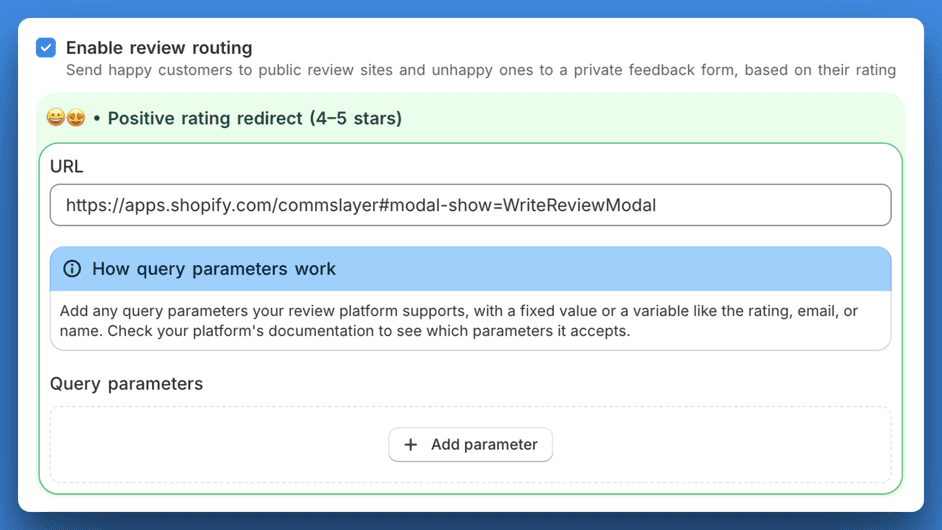
Other updates to the CSAT:
5 clickable stars inside the email body. No more "click this button to go to a survey page" graveyard
Per-inbox branding: logo + accent color so the CSAT email looks like your brand
Kaching Subscriptions & Stay AI integrations
We now integrate with Kaching Subscriptions & Stay AI! I was surprised by how many of our large accounts were already using Kaching for their subs so building an integration became a top priority item. While at it, we also added support for Stay AI.
You can connect the integrations under Settings → Integrations.
To let your AI agent manage subscriptions, go to AI agent → Actions and enable the subscription actions after connecting the integrations.
Our team has a dedicated dev working on subscriptions so expect more enhancements soon like being able to offer discounts to subscriptions as an alternative to cancelling customer’s sub. Stay tuned (lol).
Contact reasons: editable, deeper, with more reporting
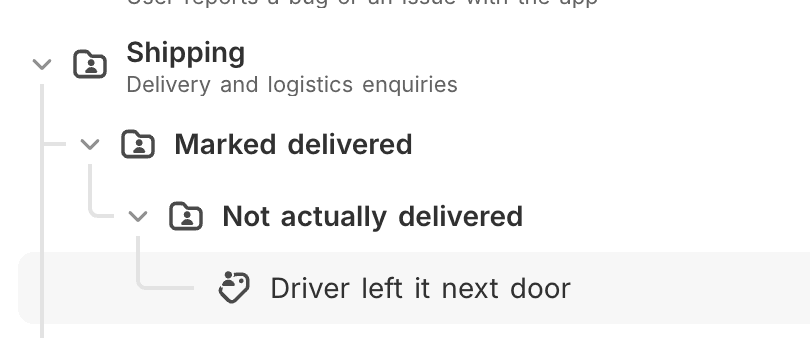
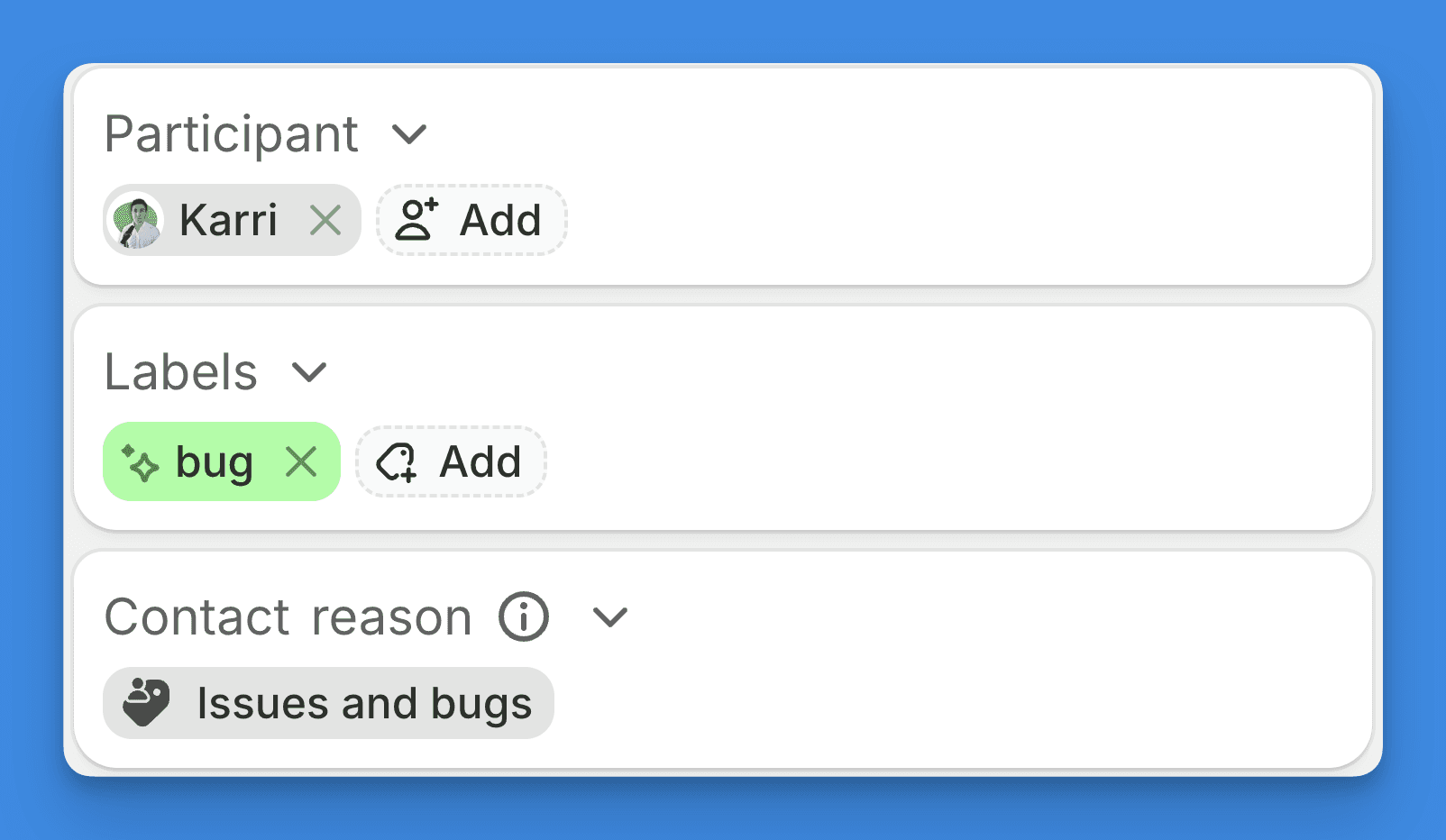
Contact reasons shipped in the last update but based on your feedback, we iterated them a bit. You can finally get run reports for things like Shipping → Marked delivered → Driver left it next door → Neighbor's dog ate it 🐶
What’s new:
Manual editing: the AI gets contact reasons mostly right, but not always. You can now edit them by hand instead of fighting the AI.
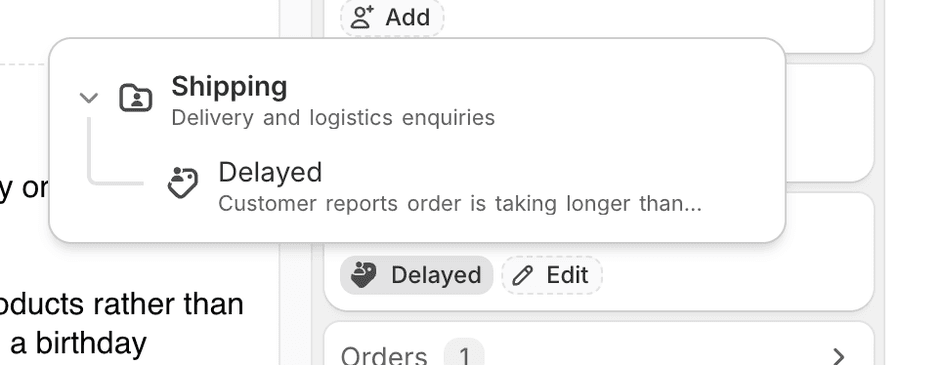
Up to 4 nesting levels: was capped at 2. Now goes 4 deep so you can model how your team thinks about categories instead of flattening everything.
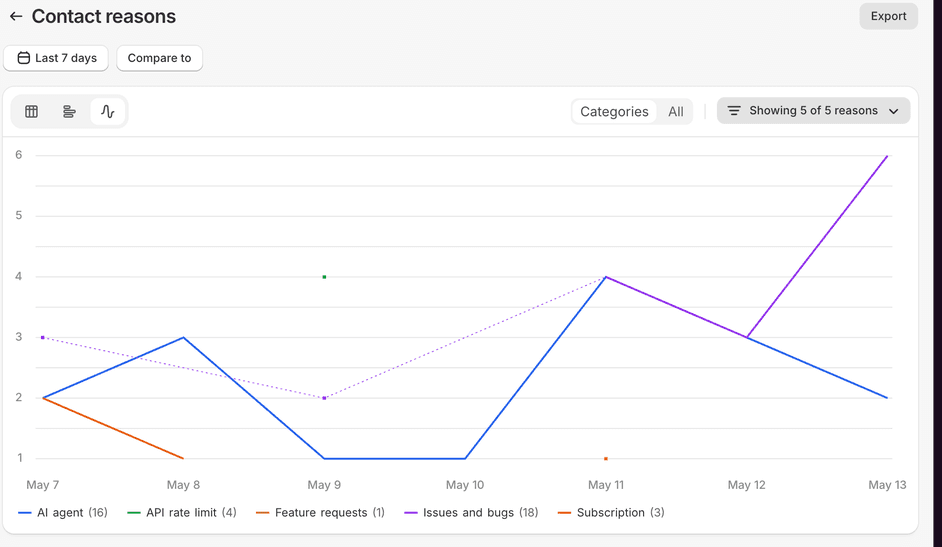
More reporting: line chart of contact reasons over time, CSV export, plus deeper breakdowns in Reports.
See customer’s cart on the sidebar
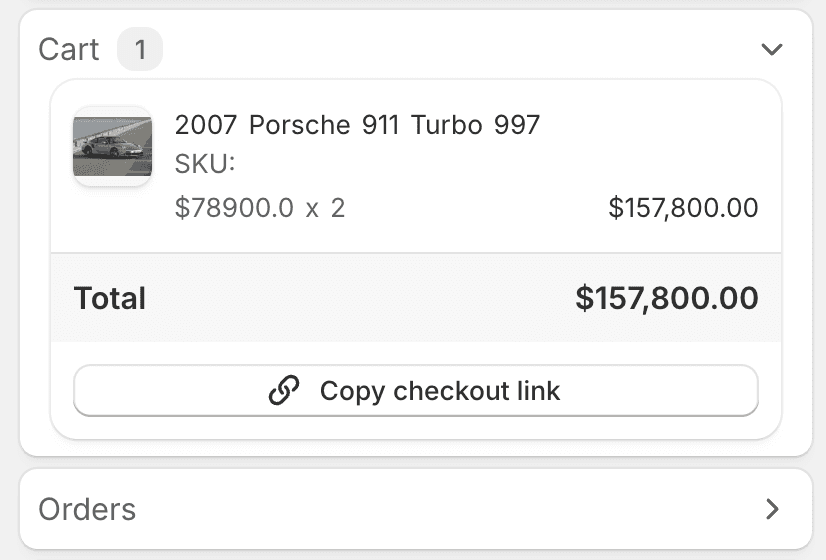
When a customer messages you, you can now see what's in their cart in the conversation sidebar. The AI agent already had access to this and your human agents can see it too now.
Autoclose Instagram and Facebook mentions
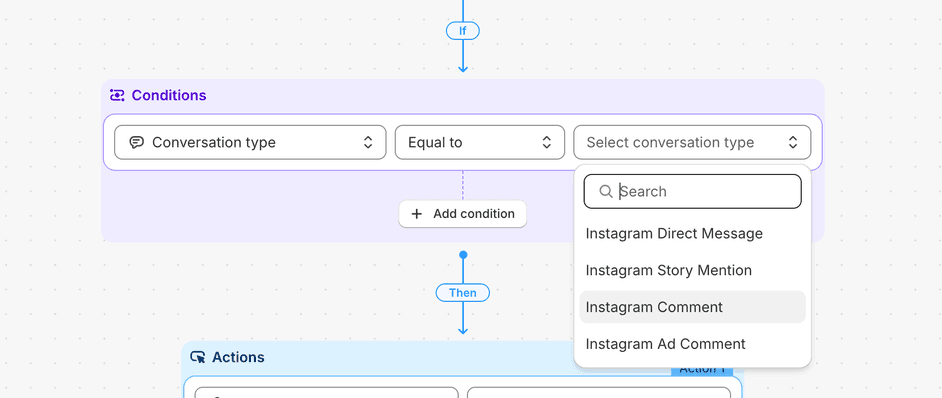
You can now build an automation that auto-resolves brand mentions, story tags, or whatever else doesn't deserve a reply. Added a "Message type" condition to automation rules (email, chat, comment, mention, DM), and it fires on conversation creation so the mention gets closed before it ever lands in your queue.
Settings → Automations → new rule → trigger: Conversation created → condition: Message type is "mention" → action: Resolve conversation.
If your social manager spends every morning resolving 30 "tagged you in their story" tickets, this is for them.
Other updates:
Two new CSMs joined our team: Nikola (ex-g*rgias) and Mitchel who will be leading our CS operations and taking care of the large accounts (Mitchel was previously with us at Lifetimely and went to Storehero. Nice to get the old band back together). We have struggled with being able to keep up with implementation requests and onboarding calls and will hopefully keep adding more CSMs throughout the year.
AI agent can now handle Judge.me reviews (check the AI agent settings)
AI agent knows which store has stock: If you run multiple Shopify locations, the agent can now see inventory per location. When someone asks whether something's in stock at a specific store, it can actually check and answer. (Requires shop reauth)
There's a "Talk to us on WhatsApp" button in the chat widget now. The customer taps it and the conversation moves to WhatsApp, with the thread intact. You can enable it in the chat inbox settngs.
Automation messages can now pull in dynamic values like the customer's first name, so your auto-replies feel less generic.
Message bubbles redesigned with a Gmail-style header on each message
Notifications got an upgrade. Activity from the same conversation groups together now, so you stop getting 8 separate pings for one ticket
Command bar (cmd + k) deserved some polishing and a new look
Read more
Product changelog
Contact reasons, Appstle integration, and Richpanel & Freshdesk importers
Contact reasons
A new field where AI fills in why each customer contacted you with its own reports.
Yes yes, we already have autolabels. But many teams were doing this manually and asking for a proper field, so here it is. Autolabels still work fine if you'd rather use those.
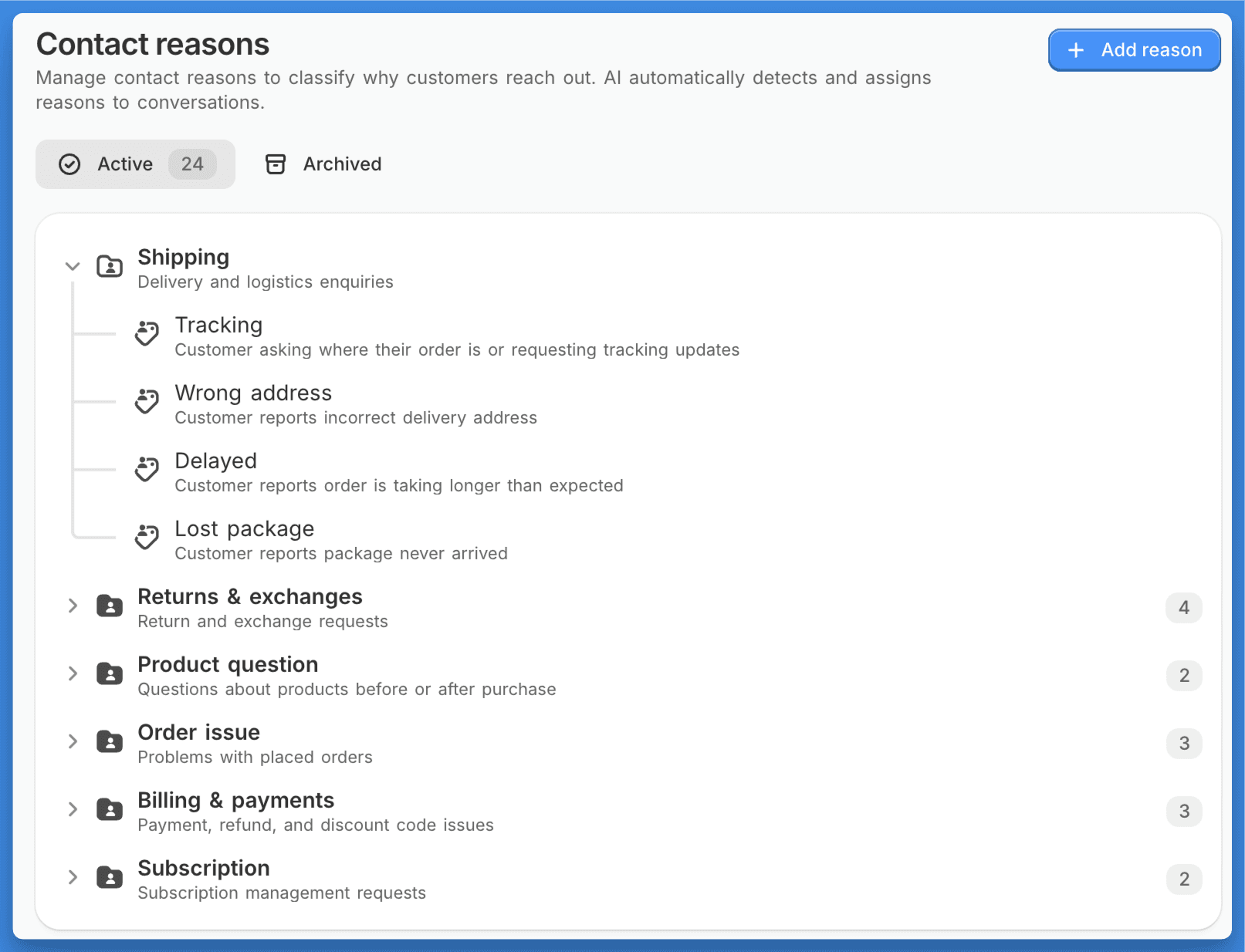
Reasons nest under top-level categories and the AI suggests new ones based on what's coming in. There’s also neat reporting available:
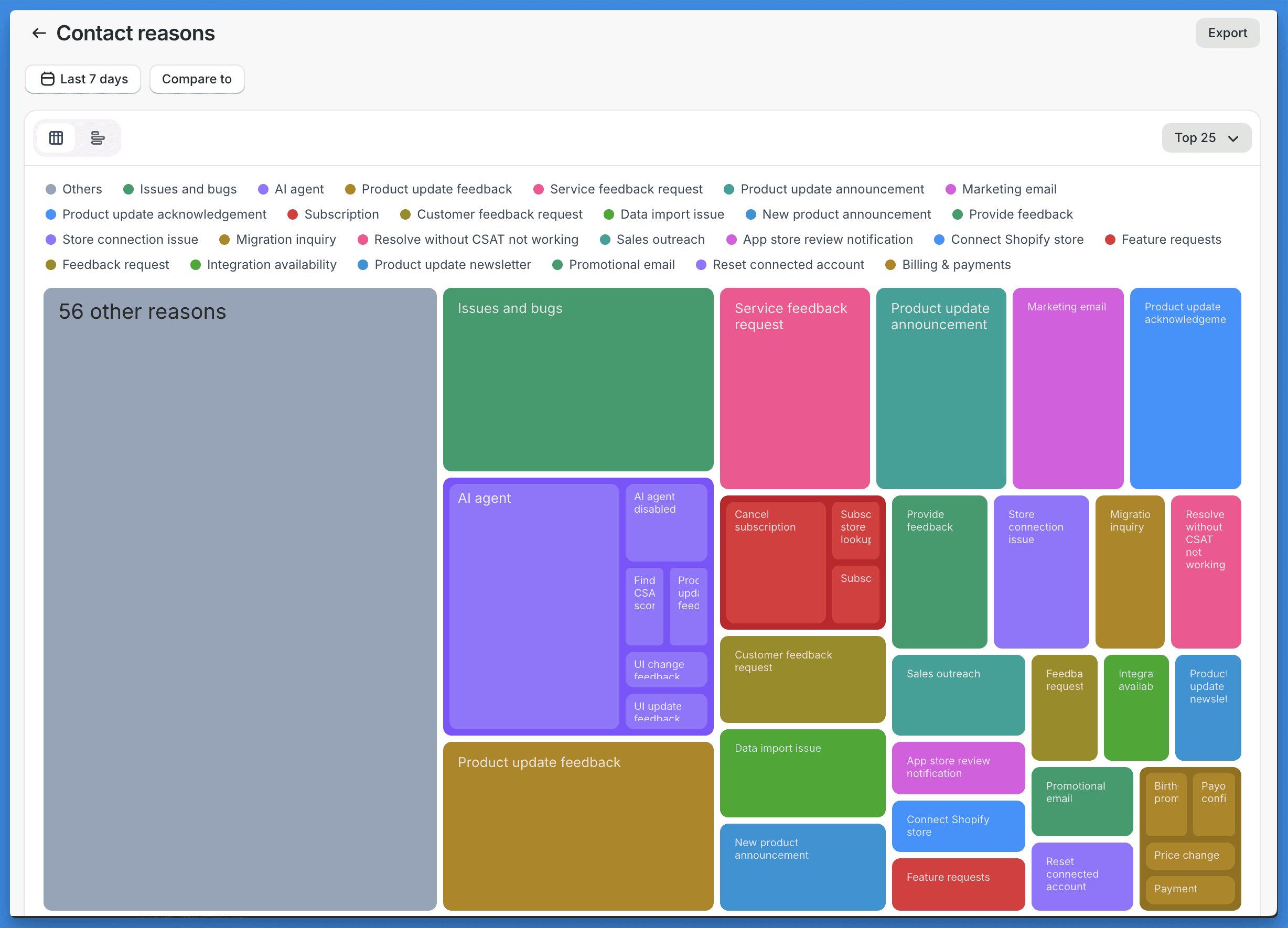
Go set it up at Settings → Contact reasons (Only available on Plus 💰 )
Appstle Subscriptions integration
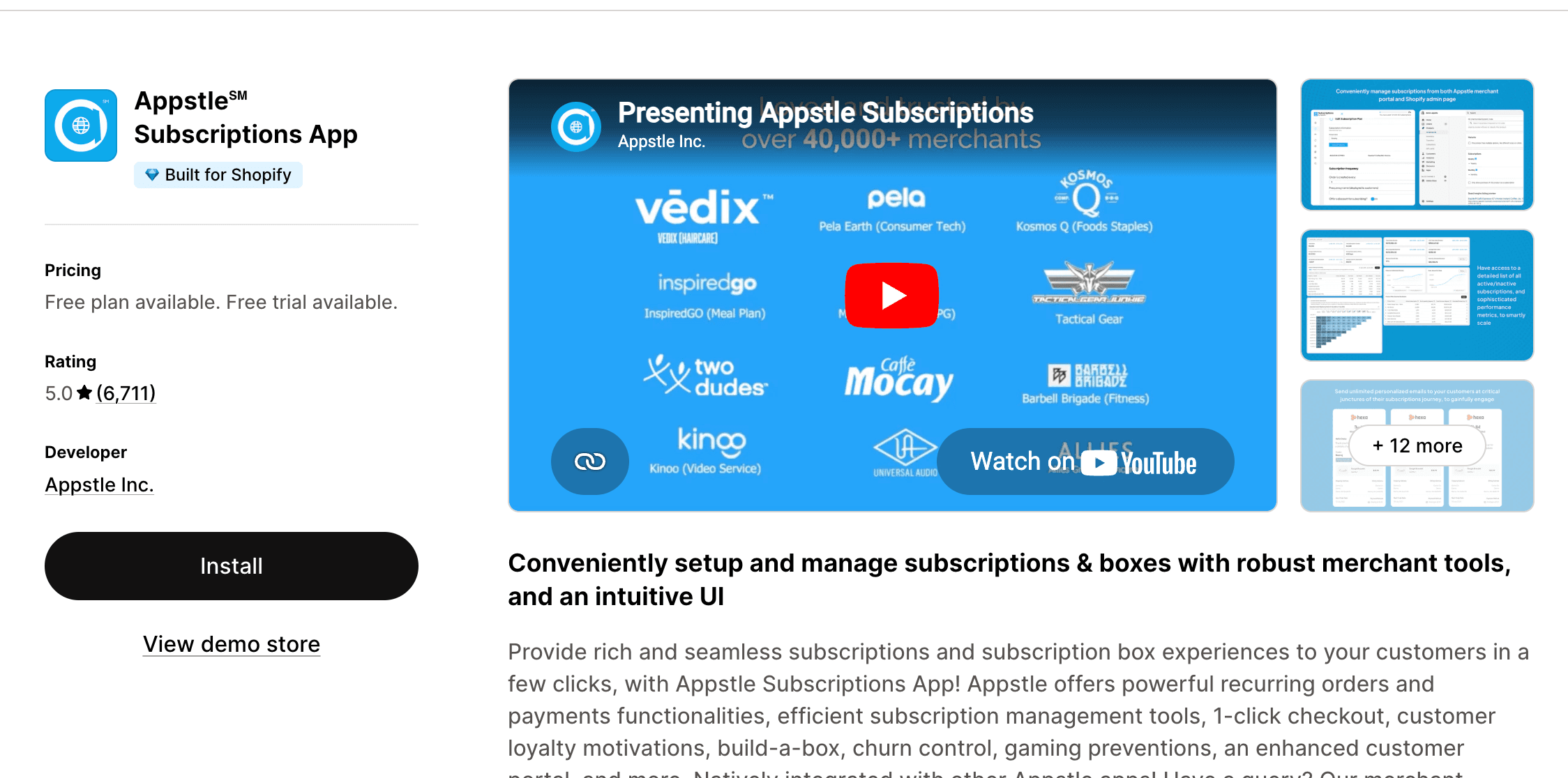
If you run subscriptions through Appstle, customer subscription data now shows up in the conversation panel. Same flow as Recharge, Skio, and Loop. The AI agent can also cancel, pause, reschedule, and skip the next order on a subscription.
Connect Appstle in Settings → Integrations
Setup AI agent actions in AI agent → Actions
Richpanel & Freshdesk importers
Richpanel importer is now live alongside Freshdesk importer. If you know any friends who’ve been waiting for these, let them know!

-Karri / cofounder
Read more
Product changelog
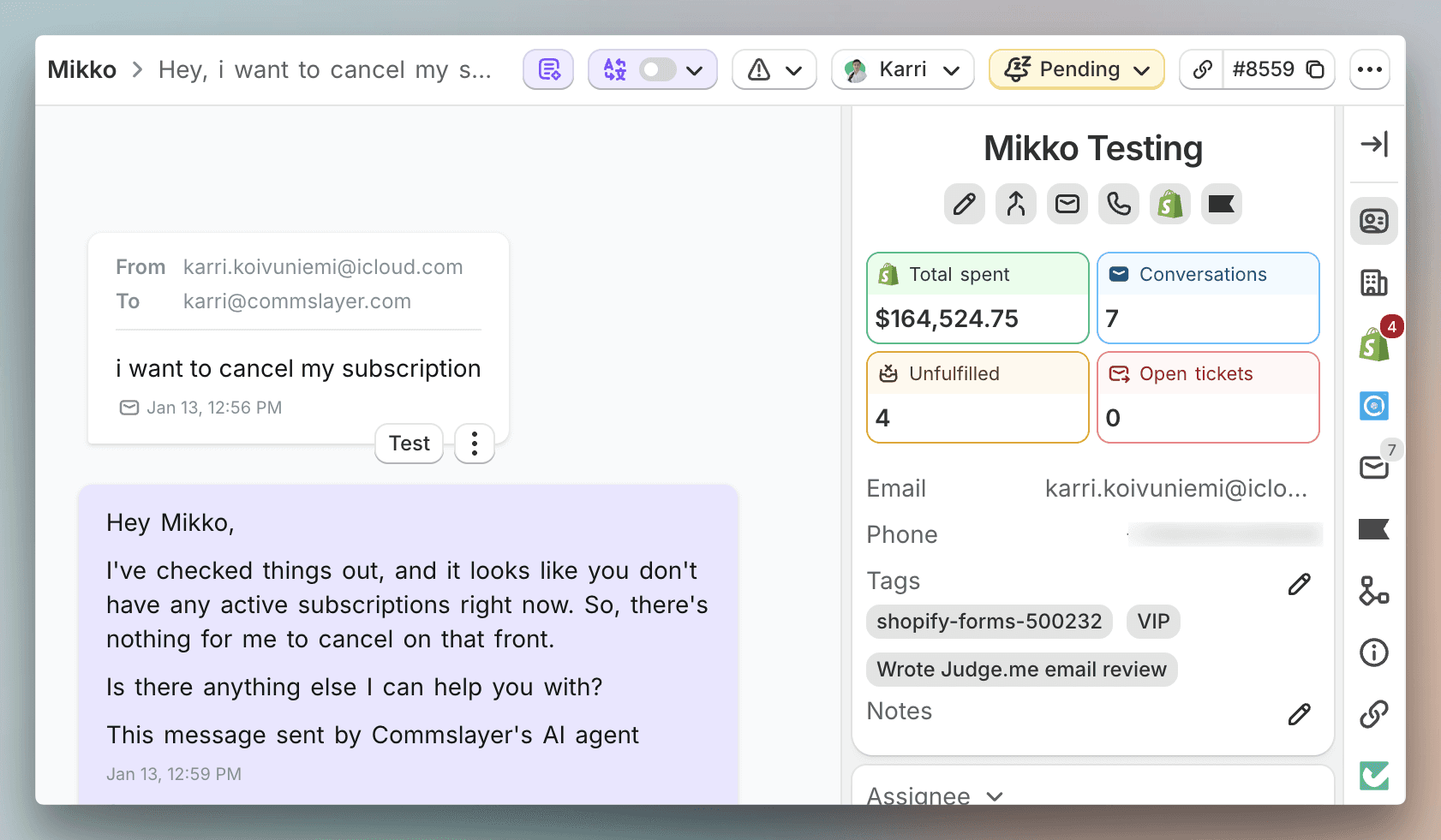
New sidebar and header UI
We’re experimenting with new UI, starting with new sidebar and header. I’m sorry that we are breaking your muscle memory but we believe it is a change to better (the road to hell is paved with good intentions….). But yes, it is annoying that you’ll need to learn new places to click on.
Cleaner layout and the top of the sidebar now has four clickable stat cards that surface what you need before replying:
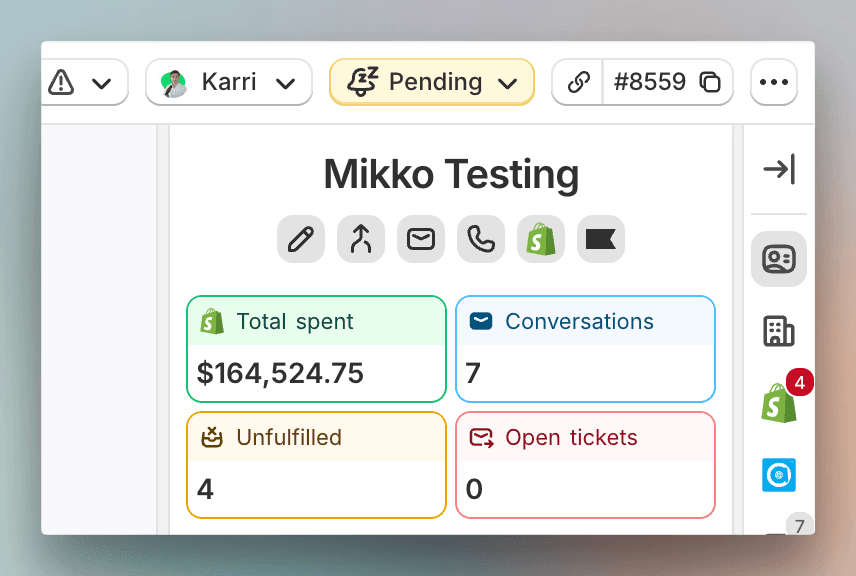
Total spent. Click to see orders.
Conversations. Click to see the customer's conversation history.
Unfulfilled orders. Click to see what's still open.
Open tickets. Click to see what's unresolved.
Other changes:
A side panel on the side of the side panel (lol) for quickly opening things like subscriptions without leaving the conversation. Its icons show a red counter when there's something open (open tickets, open convos), grey when there isn't.
Direct links to related records instead of hunting through panels
Copy conversation URL or ID from the header
Spam banner when you're looking at a blocked contact (some users are having issues with many contacts going to spam, fix coming)
Bulk conversation actions are now available on the sidebar:
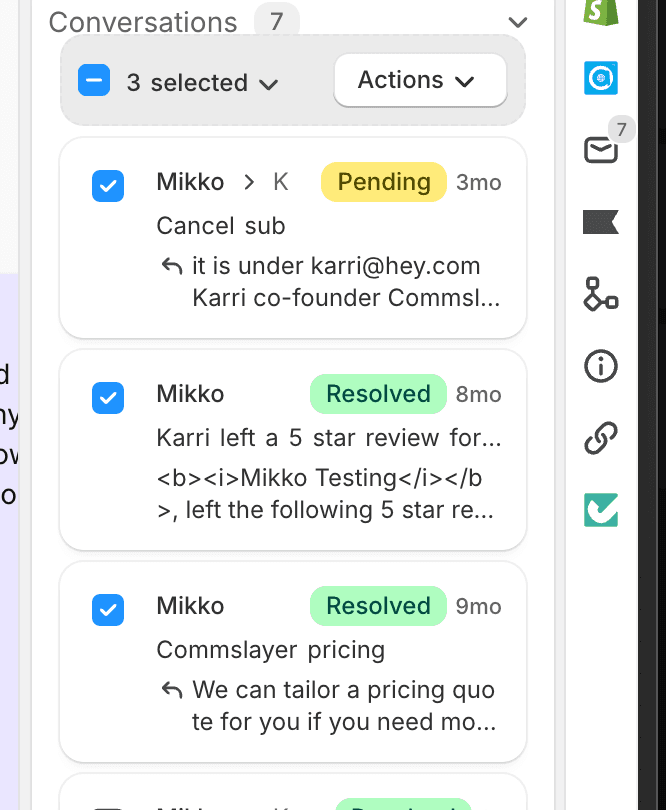
Other small updates
API: look up conversations by display ID. id_type=display_id now works on GET/PATCH /conversations/:id. Webhook payloads include both id and display_id.
API: new conversation filters and fields. Filter by contact_id or spam. source_id now exposed on messages (useful for Aircall call ID matching).
CSV export for canned responses (not sure why agents keep asking for this but it’s there now)
Email subject line in search results. You can now tell two "Re: order update" threads apart.
Let us know what you think about the sidebar or if you have improvement ideas for it. I read all of our tickets even if you might not get the reply from me. Our frontend wizard will spend a day or two improving it until we move to next features.
-Karri / cofounder
Read more
Product changelog
New AI drafts & Google Drive sync
A top complaint for a long time has been that the AI drafts are not as good as the AI agent and don't follow the guidance. We've then mumbled something about the drafts being a separate "stupid" system from the AI agent, followed up with long architectural descriptions and ensured that the other side left the conversation even more confused.
Our CTO rebuilt the drafts and the editor to use the same system the AI agent uses. We call these "v2 drafts." If you signed up in the last ~3 weeks, you were likely already on the new drafts. Congrats on never having to experience the old ones.
What you need to know:
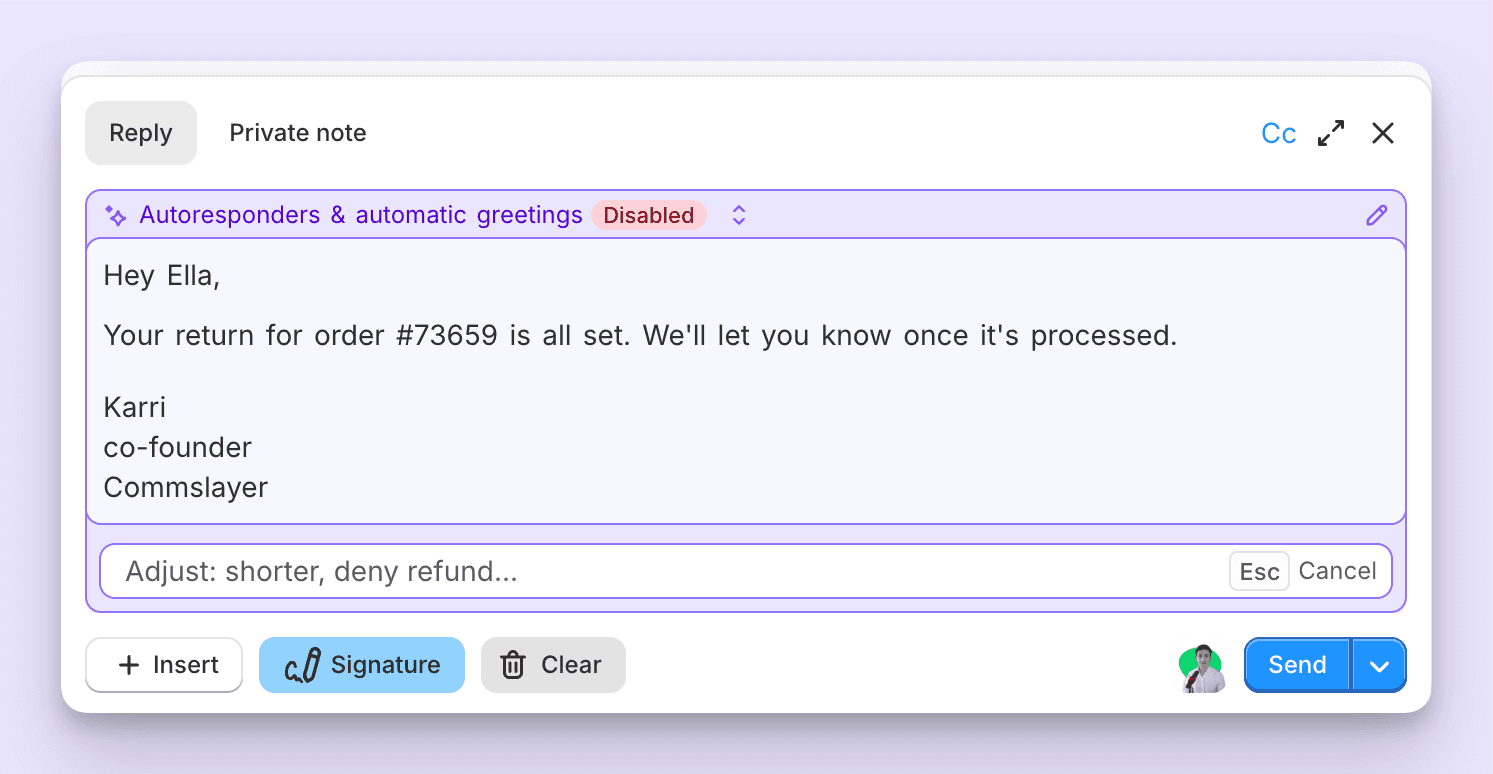
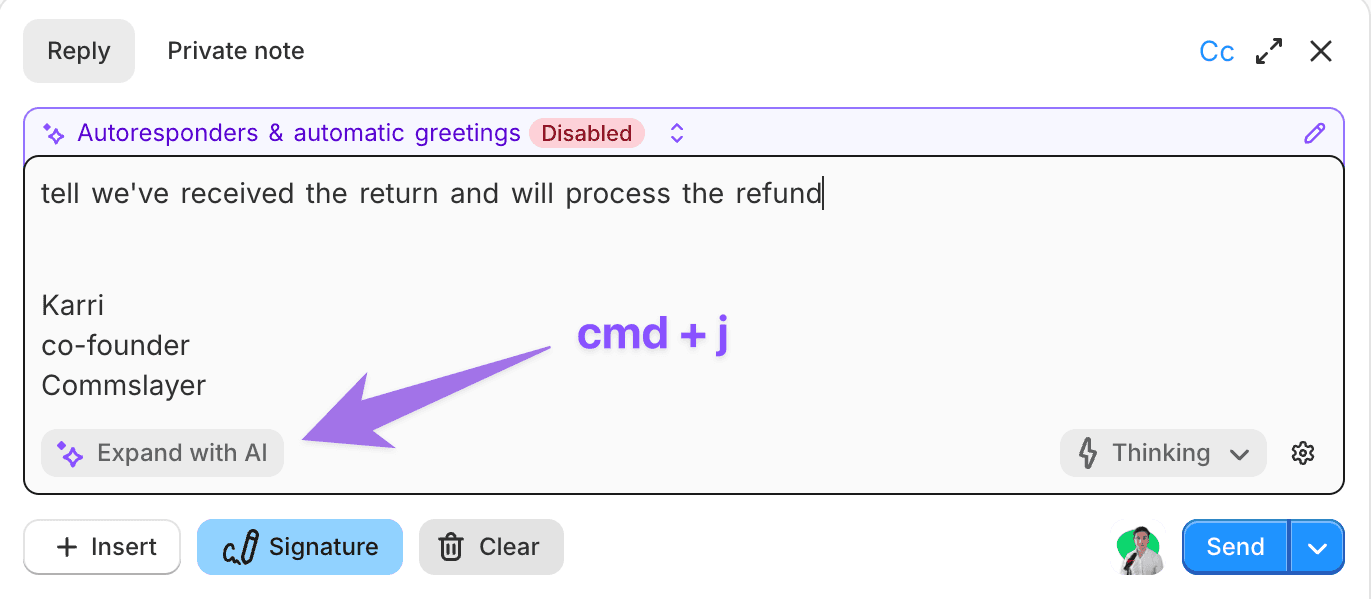
To generate a draft, hit Cmd + J (if you don't have autogeneration enabled).
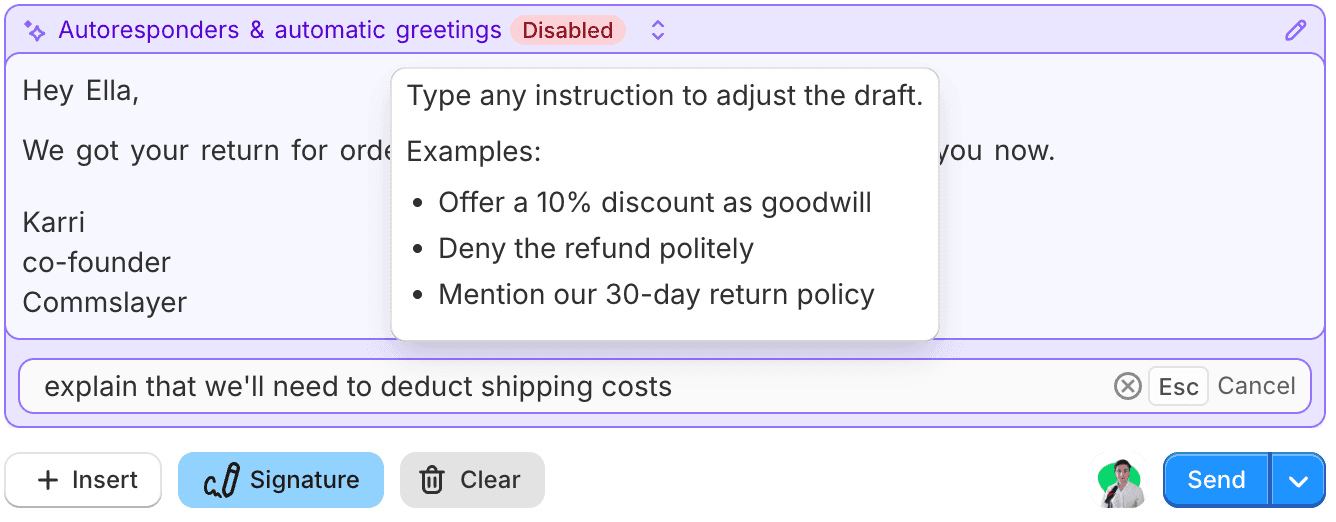
Killer feature: type a short prompt into the text editor (e.g. "we won't refund", "ask to send pictures"), hit Cmd + J, and the agent writes a full reply based on your prompt
Here’s the result (you’ll get the idea):
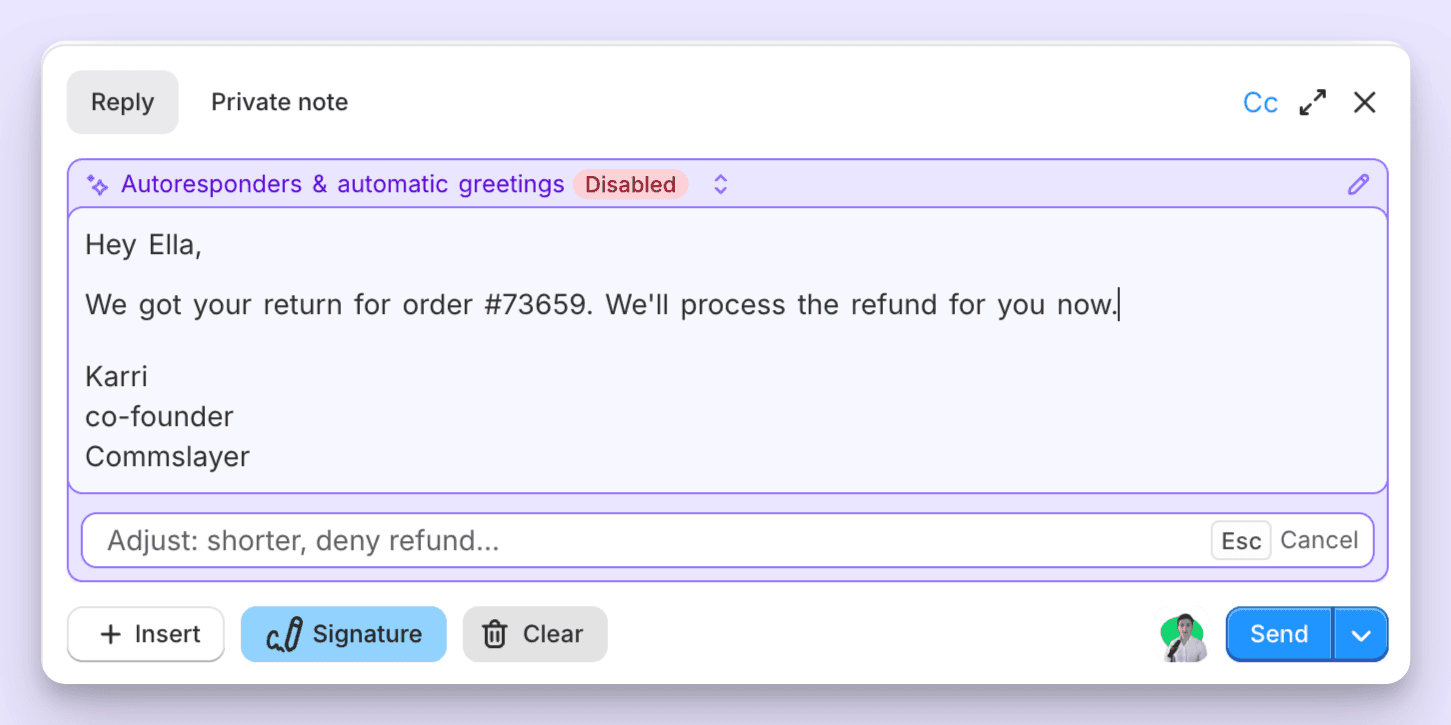
Want to edit the draft? Type further edits into the modifications field
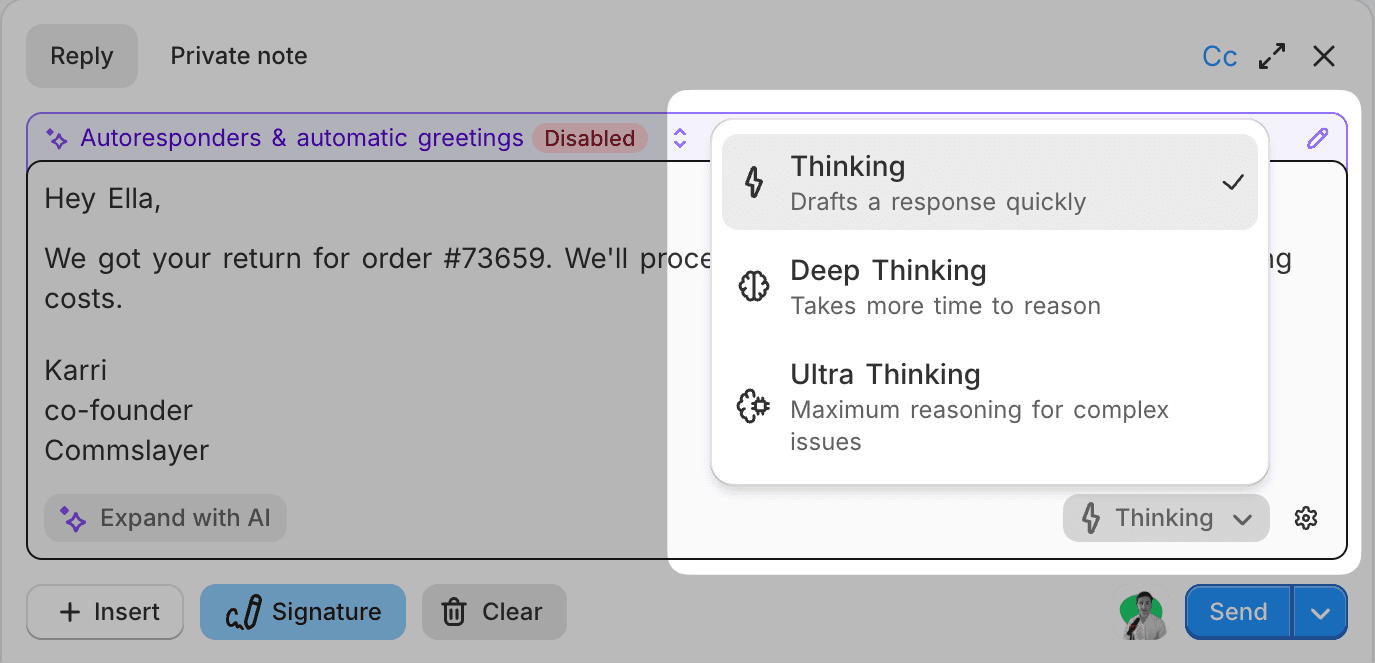
There are controls for the amount of "thinking" used for pre-generated drafts. If you generate a draft on the fly, you can control it from the dropdown:
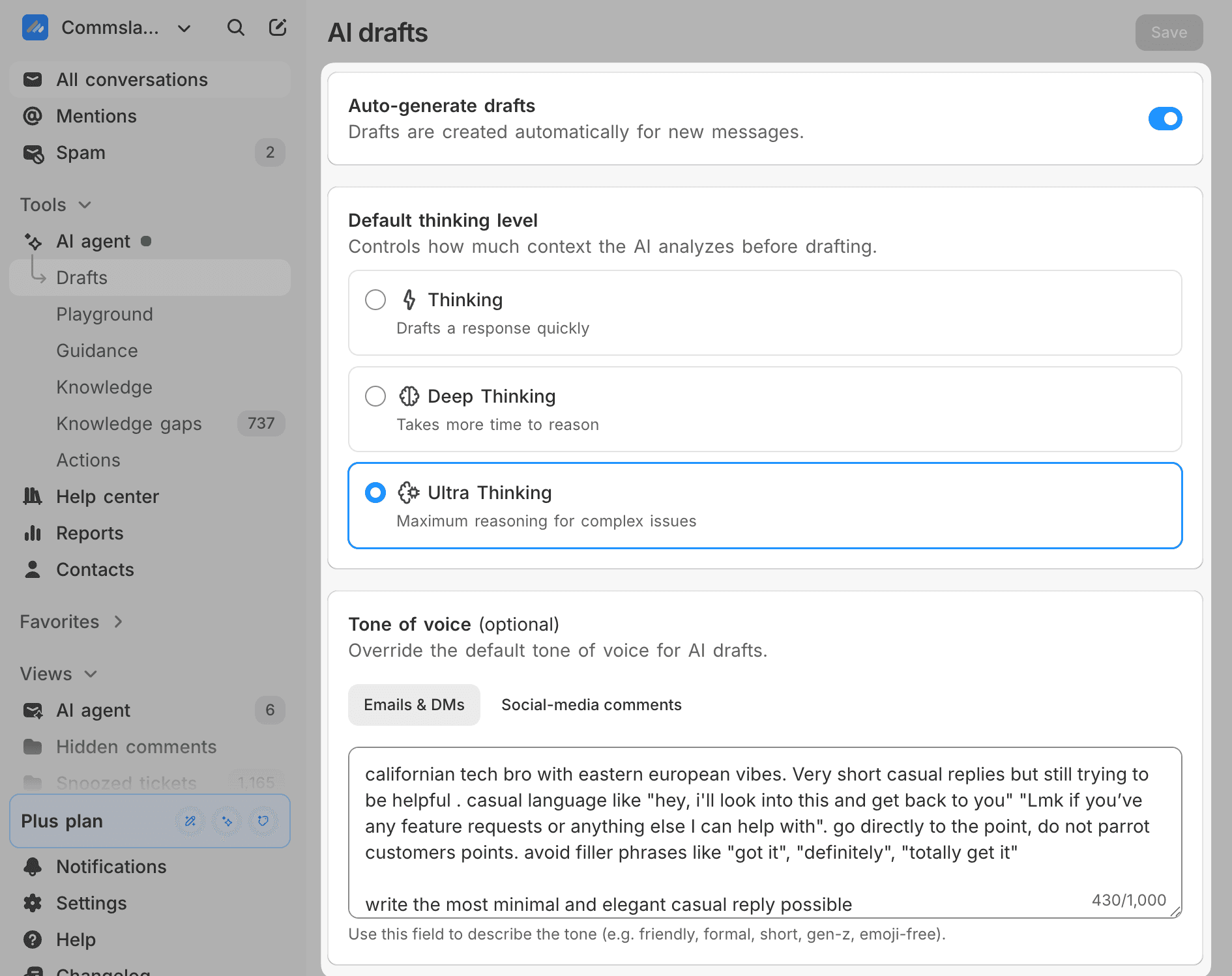
You can now enable and disable draft autogeneration in AI Agent -> Drafts. Please also check your tone setting, it’s a separate setting from the one used for the AI agent:
Google Sheets/Docs sync to knowledge
You can now link files from your Google account to the AI agent's knowledge. We update the info once per day.
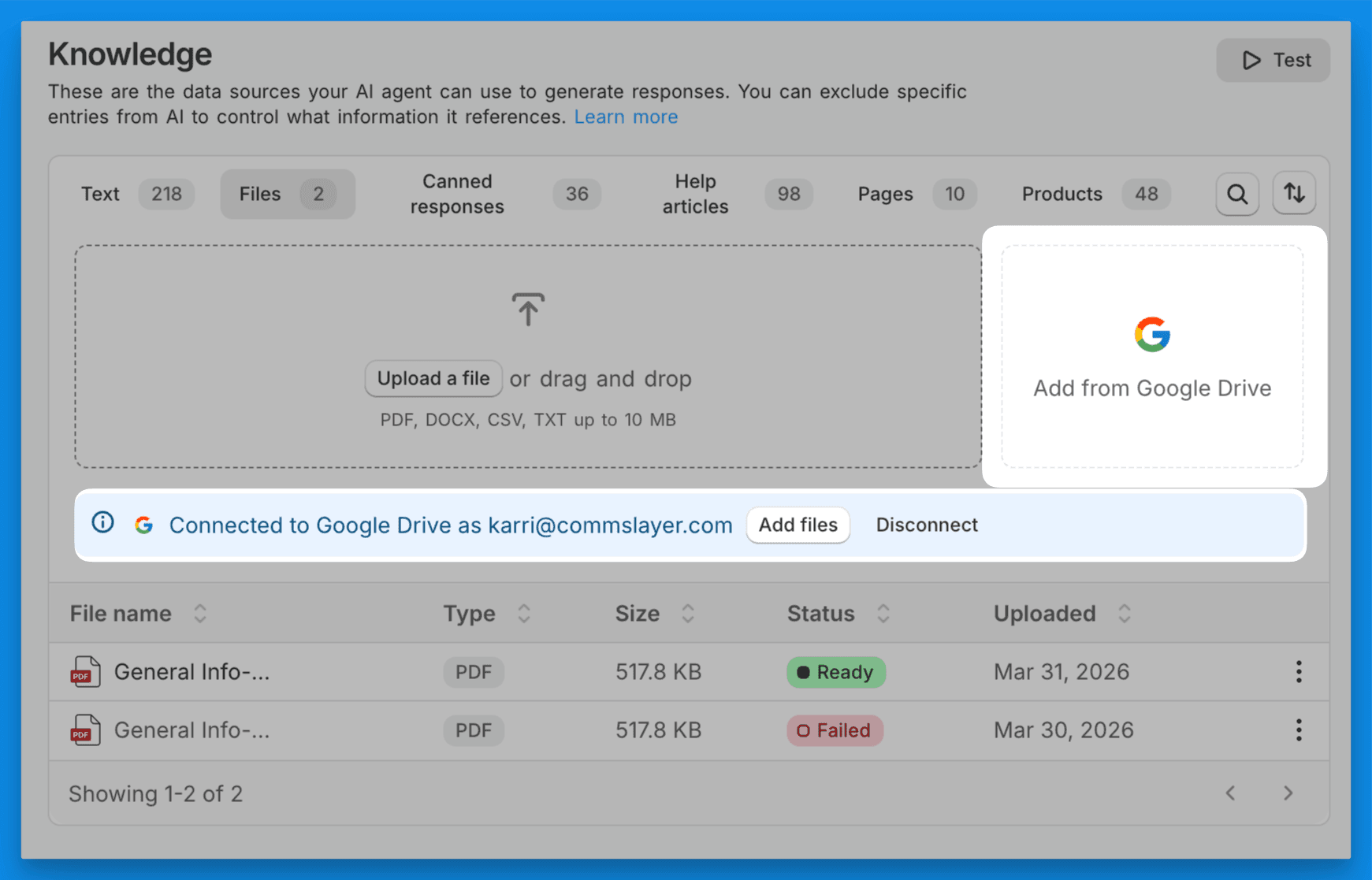
Useful for things like shipping data spreadsheets and SOPs.
Set it up in AI Agent -> Knowledge -> Files
-Karri / cofounder
Read more
Product changelog
Order editing on customer accounts
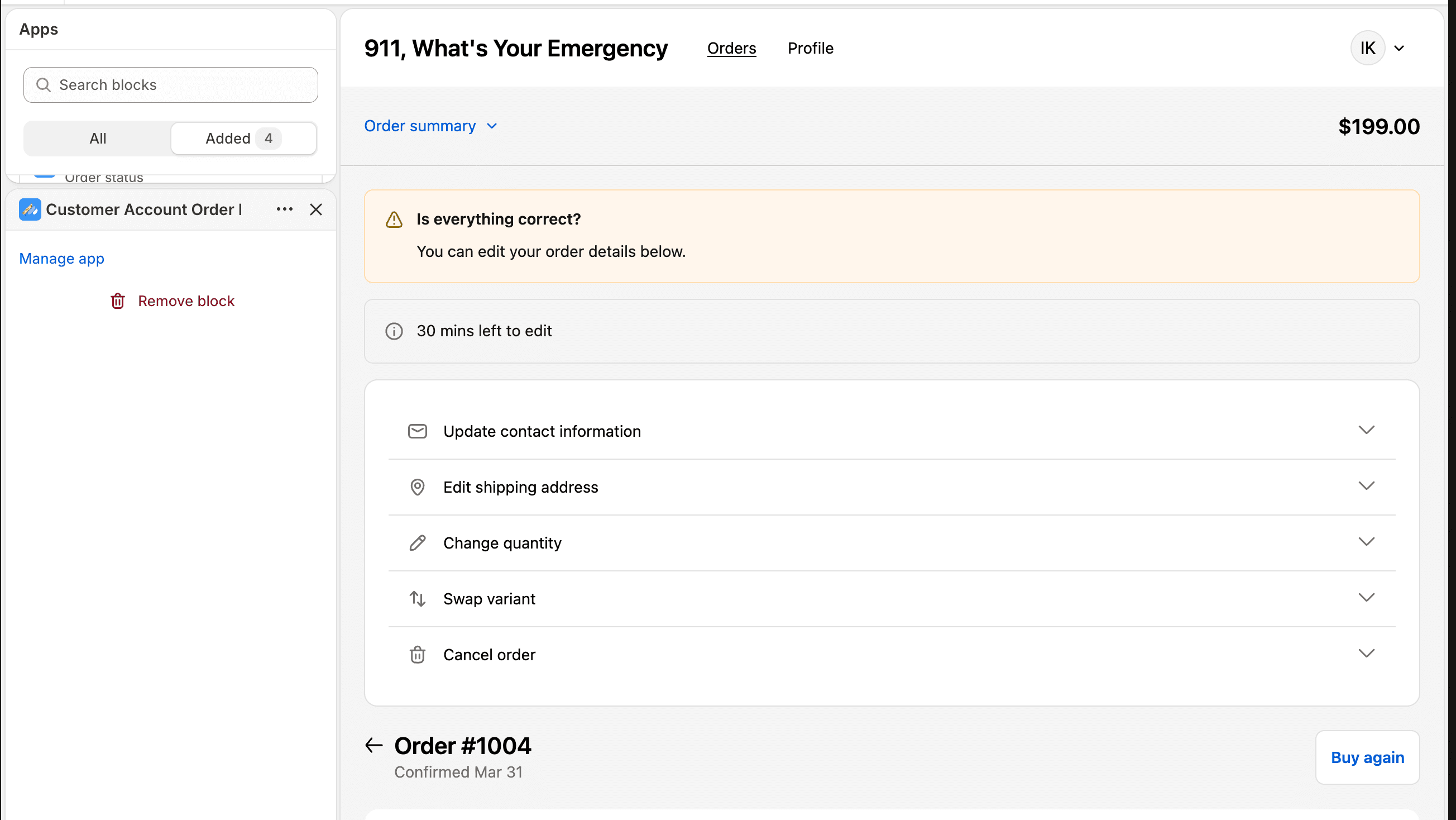
Last time we launched order editing on checkout thank you page and on chat: now editing widget is also available on customer account’s order status page. It’s a no brainer and reduces the number of tickets you’ll get.
Less tickets for the AI (and less $$$ for us) but someone had to do it, so better be us.
Go add it to your theme’s customer accounts in settings -> order editing.
There's also now inventory control available: order editing checks stock levels before letting customers make changes. You pick whether to check at the order's fulfillment location or across all locations.
Autolabels are now just labels
Agents were not previously able to remove labels from a convo which caused all kinds of nastiness. Fixing all this was a nasty process but it is now done: when creating a new label, you select if you want ai to automatically apply it
Still don’t understand why we decided to do two separate set of labels instead. Please shout at us when we release stupid slop like this again.
-Karri / cofounder
Read more
Product changelog
Introducing order editing
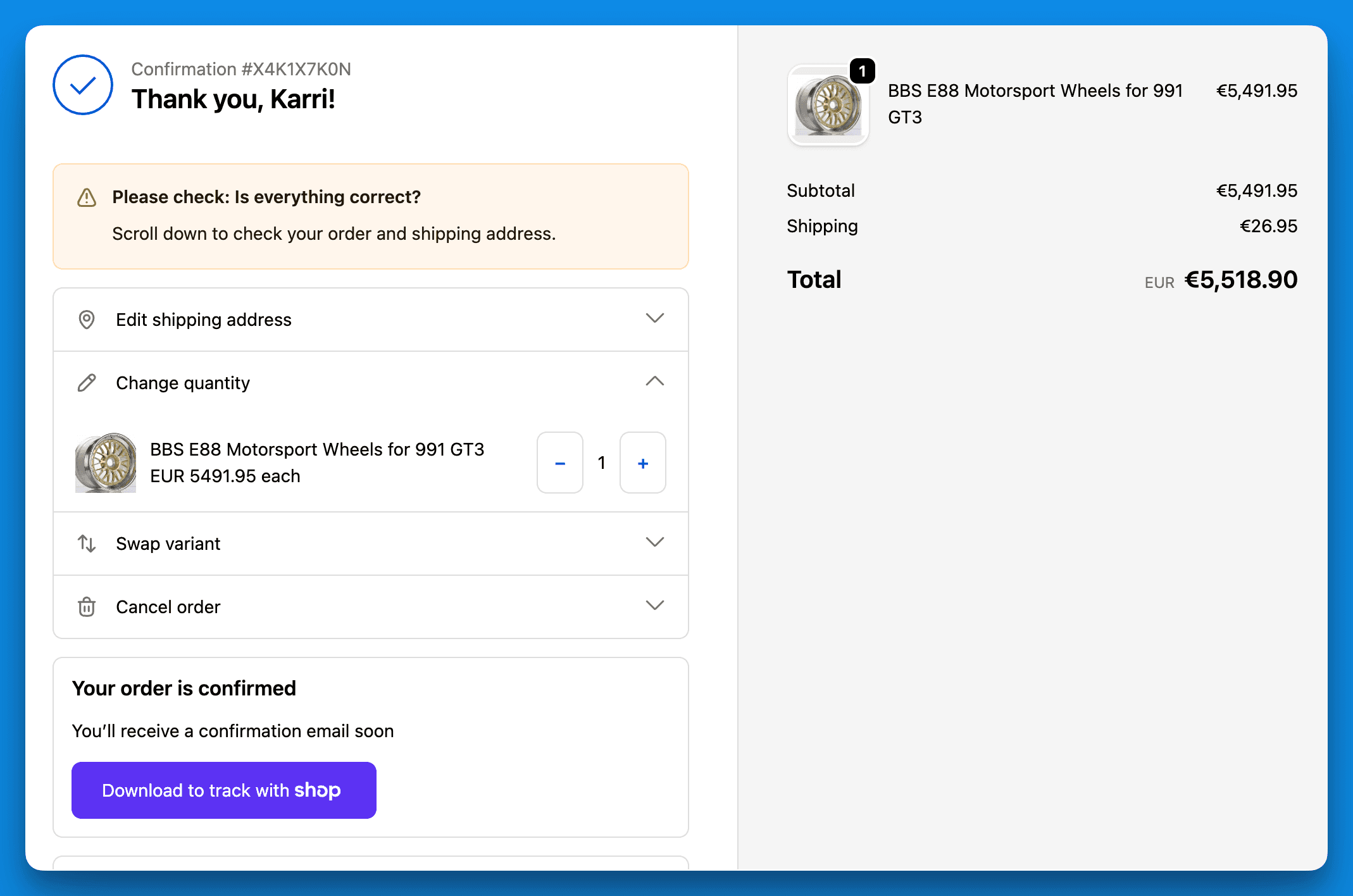
Customers can now self-serve edit orders on chat and the checkout thank you page.
The old "Track order" section in the chat widget is replaced with the new order editing view. Tracking is still there, but customers can now also act on their orders.
On checkout:
And on chat:
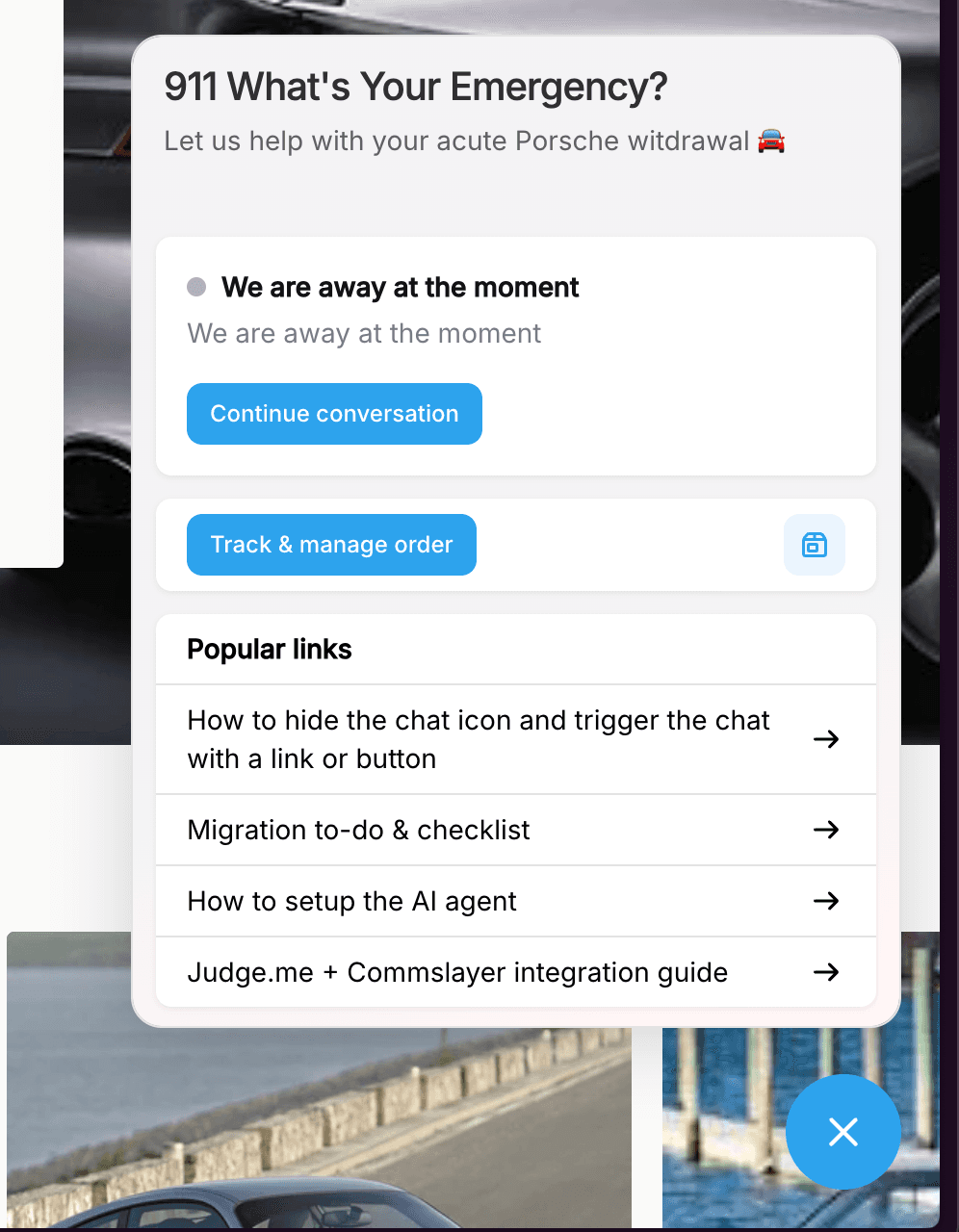
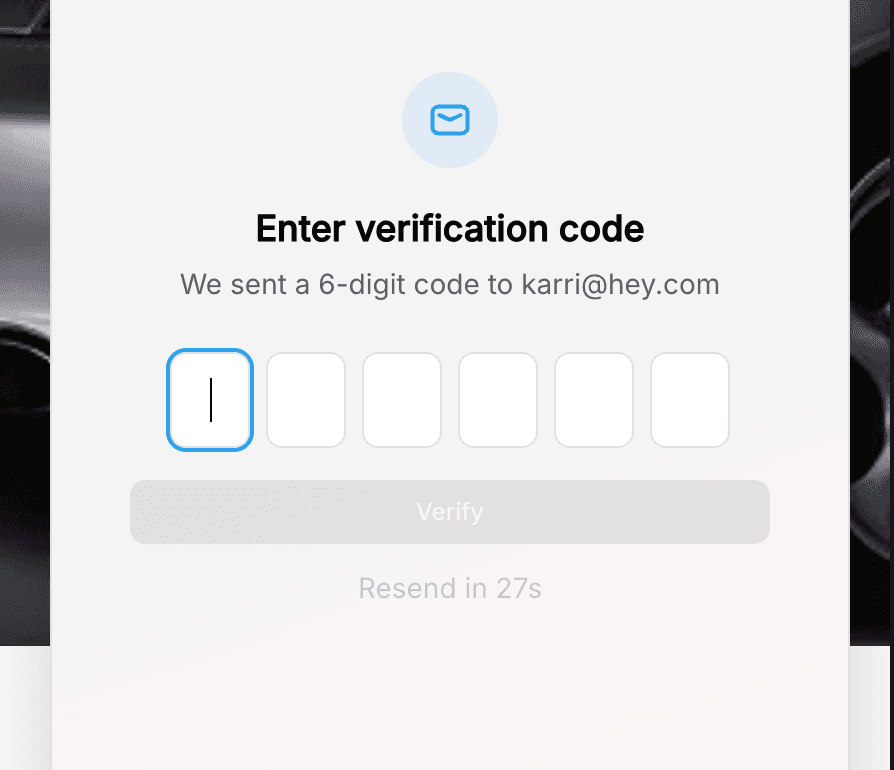
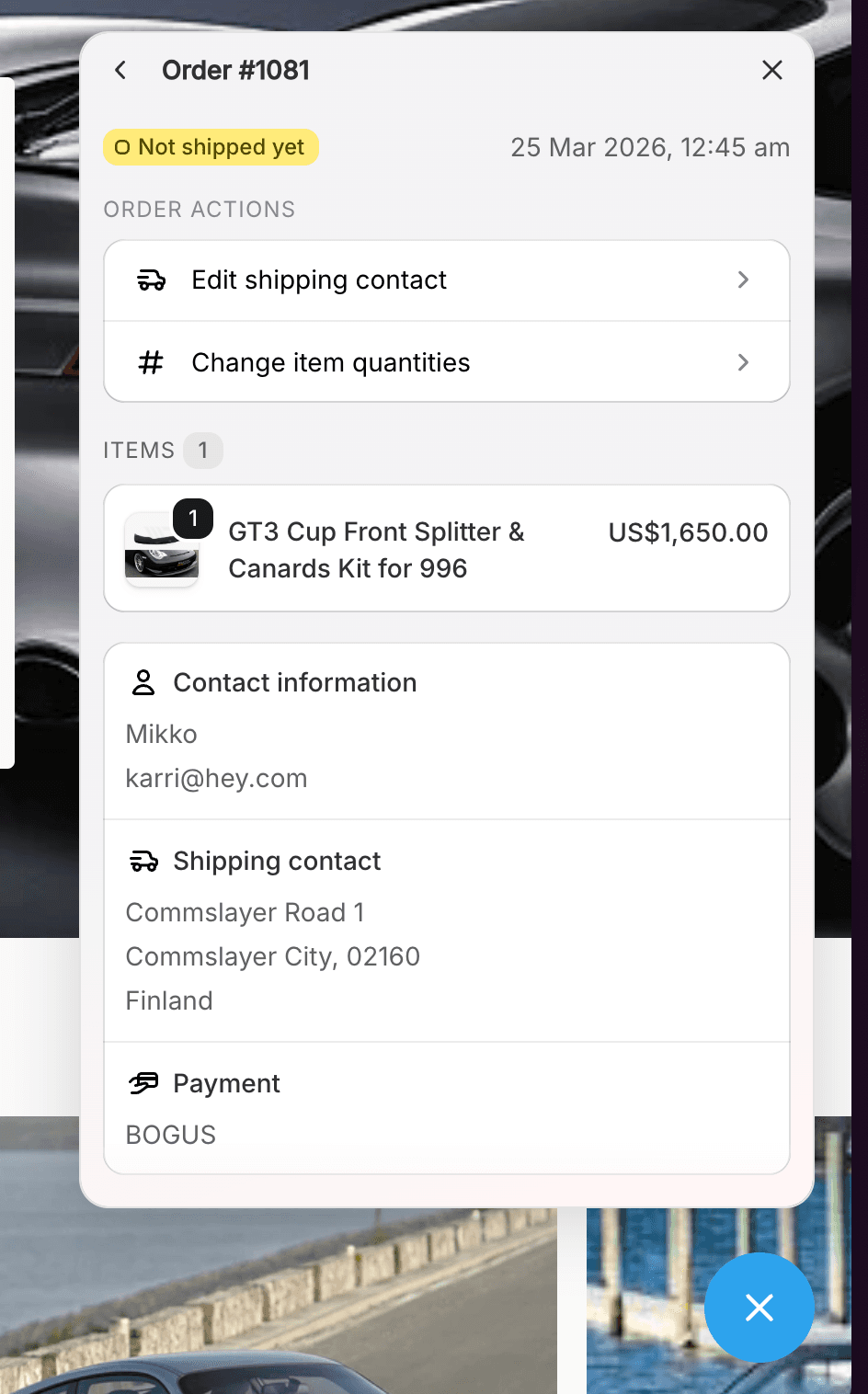
You can enable self-service order editing in Settings > Order Editing. Set when orders can be edited based on a time window or fulfillment status, and block orders from being edited using order tags.
What customers can edit:
Shipping address
Item quantities
Variant swaps (size, color)
Discount codes
Cancel the order
-Karri / cofounder
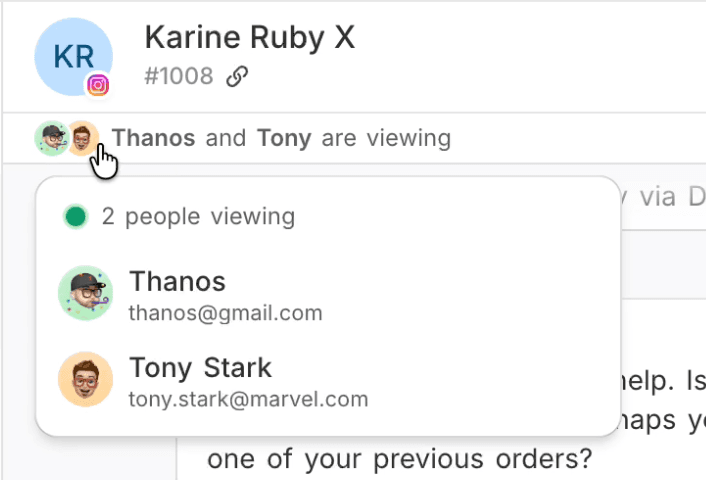
ps. a collision alert when another agent is viewing a ticket is coming soon
Read more