AI agent got training wheels
A lot of you are still skeptical about enabling the AI agent on your inboxes which annoys the heck out of me. So after some philosophical discussions (“pls fix asap thx”) devs spent last week helping you enable the AI agent and make it LEARN from your input.
5 new features + a bonus easter egg.
1. Approve first mode
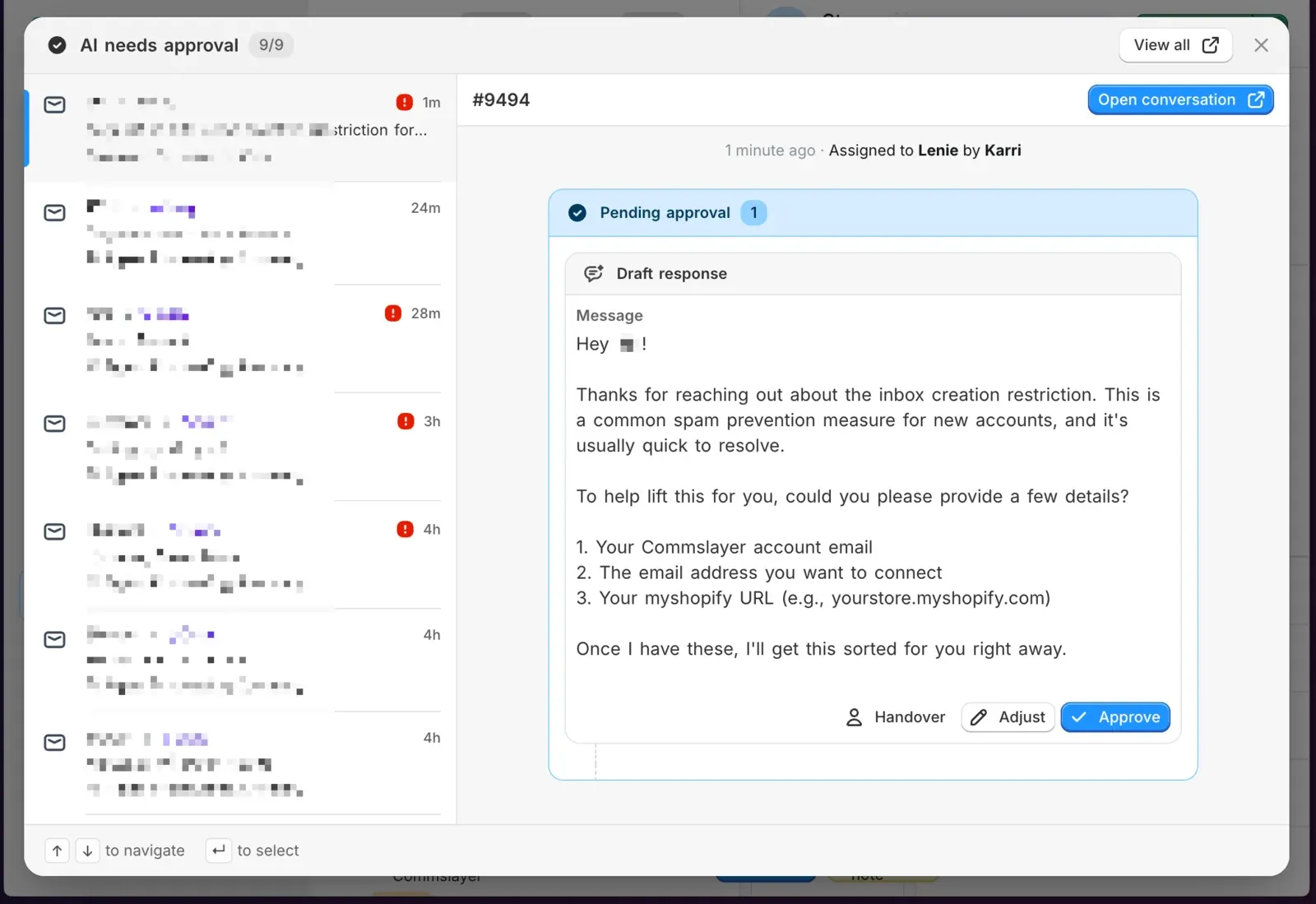
For everyone who wanted to use the AI agent but wasn’t ready to let it fly solo. Turn on “Require approval before AI actions” and the AI drafts everything, plans every action, but sends nothing until a human says go.
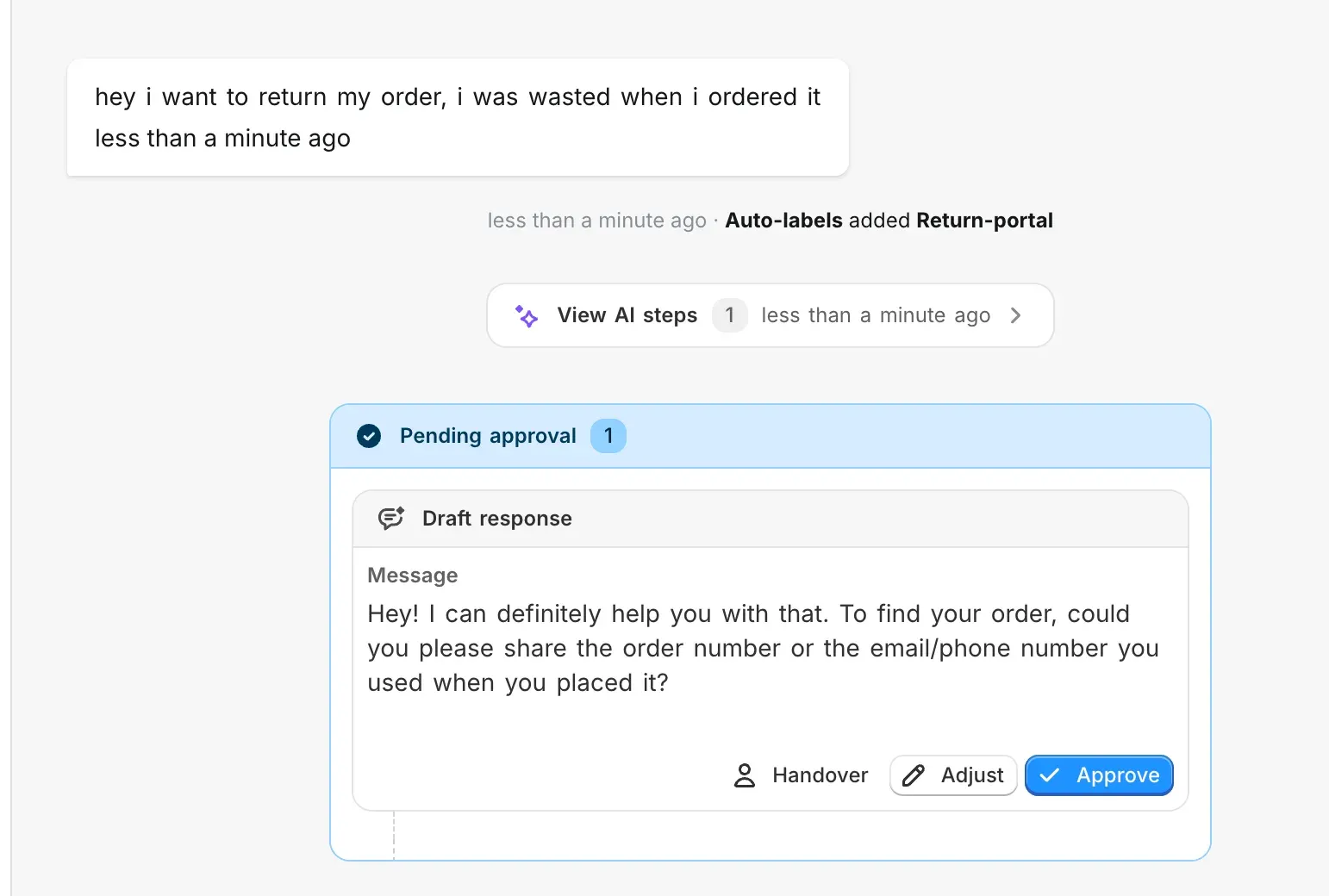
For each draft you can:
- Approve to send it as-is
- Handover to take over the conversation
There’s a notification in the main conversation list for the conversations to be approved:
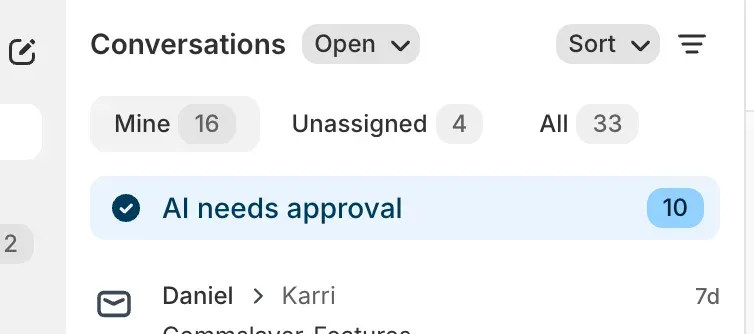
which will then open a handy modal for approving any actions.
2. AI asks for human input
The AI agent no longer panics and hands over the entire conversation when it doesn’t know something. Instead it pauses, asks a human team member for the answer internally and then responds to the customer itself.
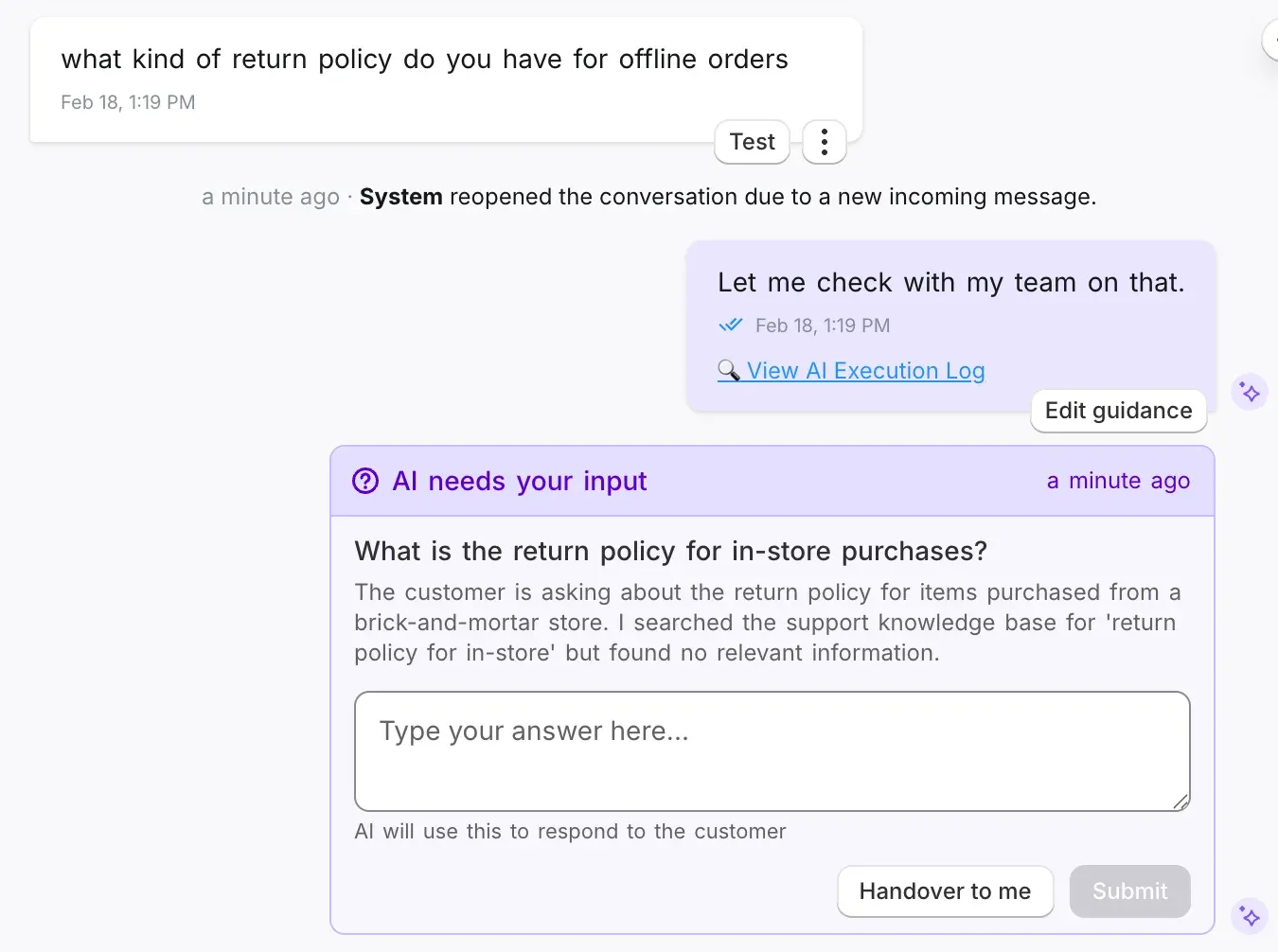
On chat customer sees “Let me check with my team.” Your agent sees a question card with a text field. They type the answer, hit submit, and the AI continues the conversation. On email and DMs it waits quietly.
The answer gets auto-saved as knowledge so the AI won’t ask twice.
Enable it in AI agent settings → Ask human agent
3. Customize pending behavior (and follow up with ghosting customers)
When the AI asks a customer for info and they ghost, what happens? Now you decide.
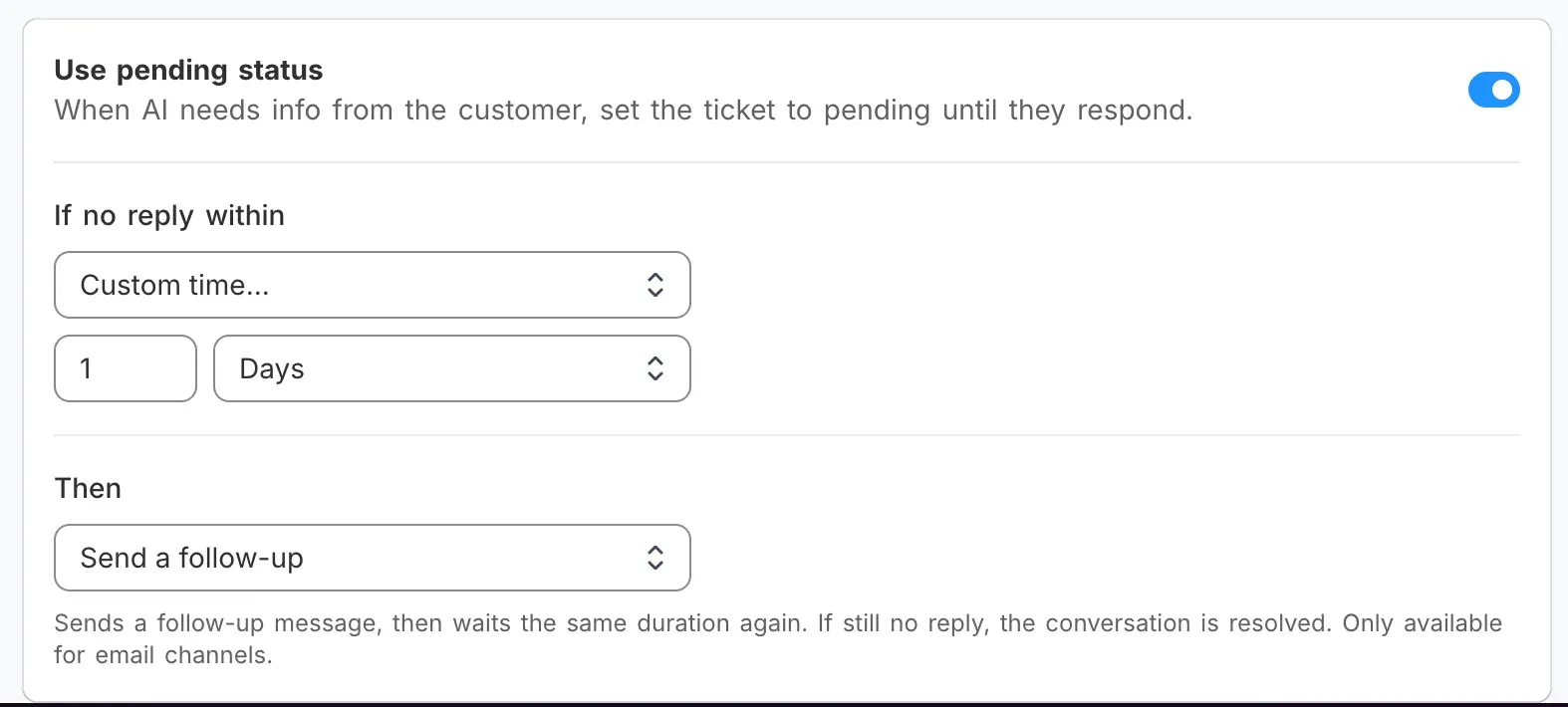
In AI agent settings you can configure:
- Pending time. How long to wait for the customer to reply. Minutes, hours, days, or forever.
- Post-pending action. What happens when time runs out: hand over to a human, resolve the ticket, or send a follow-up.
The follow-up option is the interesting one. The AI sends the customer a “hey, still need help?” email, then waits the same duration again. If they reply, the conversation continues. If they don’t, the ticket auto-resolves. Your pending queue cleans itself up without anyone touching it.
You customize the behavior in AI agent settings.
4. Automated knowledge suggestions
When a human agent replies to a conversation the AI couldn’t handle, the system suggests saving that response as AI knowledge. A card pops up: “Save this response to AI knowledge?” Click save, review the Q&A pair and you are done.
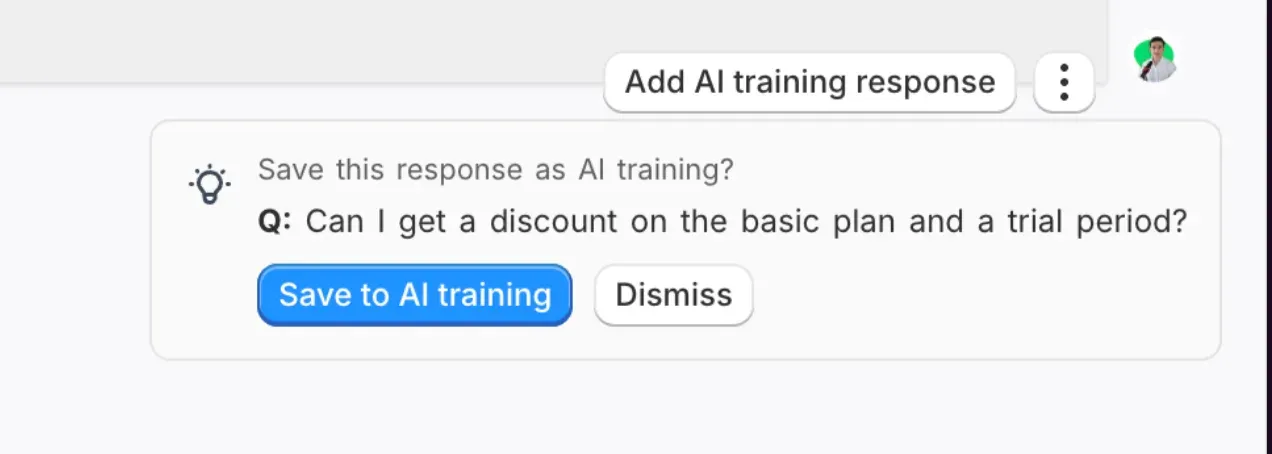
Same thing when someone edits an AI draft before sending. The system catches the correction and offers to save the knowledge after sending.
Human answers that used to be “forgotten” after one use now feed back into the AI.
5. No more “Got it”
The AI kept saying “Got it”, “Great question”, and other filler phrases because we were telling it to in the system prompt. (Our bad.)
All of you were adding rules to stop it, but our system-level instructions overrode everything. We removed the offending line, added rules against parroting and filler, and banned a list of phrases. It was a simple quick edit, we just didn’t realize it was coming from our own prompting and not from the model. The AI now skips the preamble and answers the question.
Bonus: Conversation history modal
Shamelessly “inspired by” Help Scout. Clicking a previous conversation in the customer sidebar now opens a modal with the full message thread instead of navigating you away.
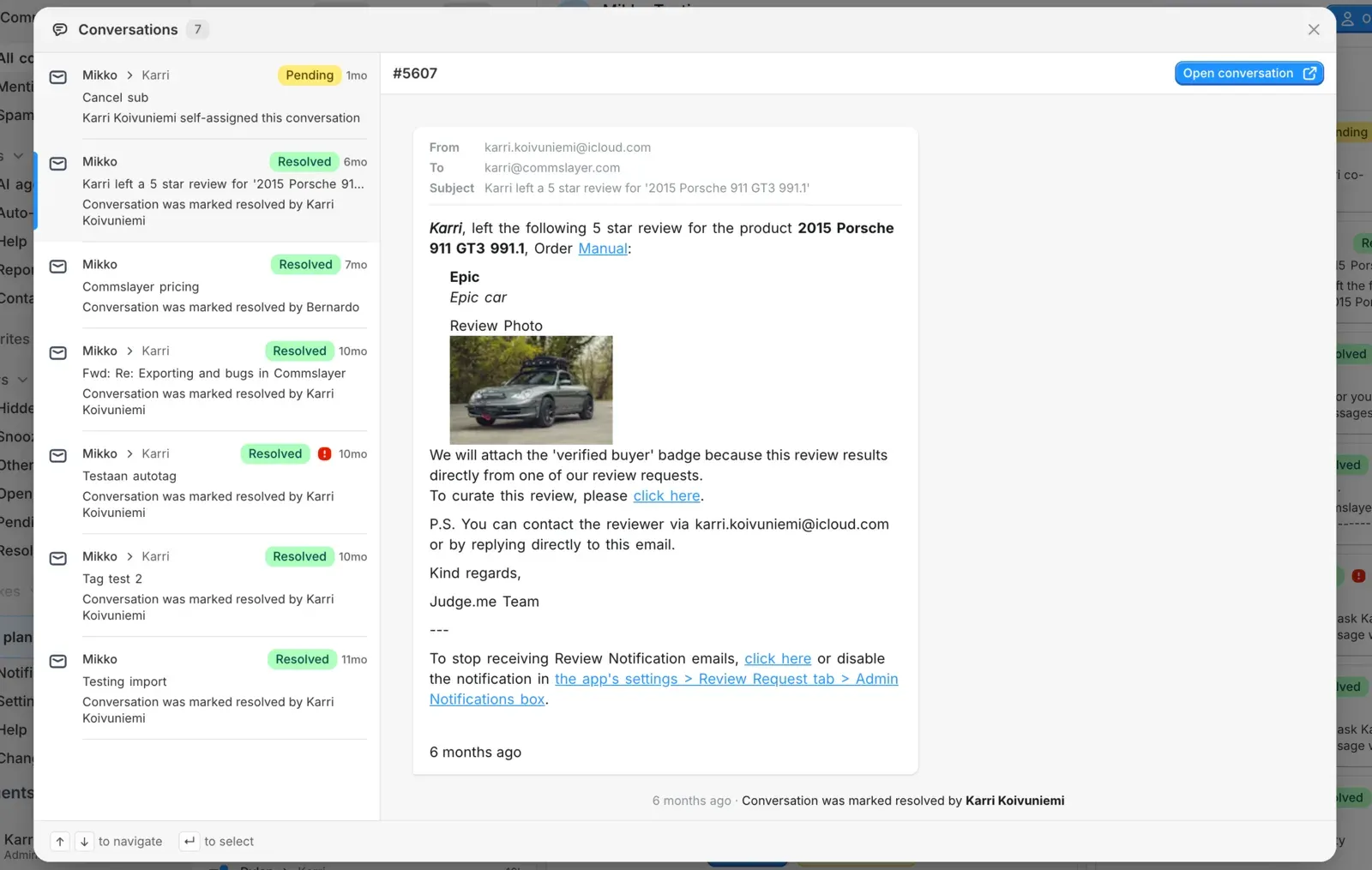
Should have done this ages ago.
Have we finally earned an appstore review from your team? Please write one here: https://apps.shopify.com/commslayer#modal-show=WriteReviewModal
We’ll grind our asses off to improve the platform every day. We do have bugs and rough corners, but we try to fix them asap based on your reports.
Coming up next: rebuilt and a lot better AI drafts + order editing/duplication, spam management, full API access and more!
Leave. A. Review.
Any feedback or issues with your account?
Email karri@commslayer.com and ask to talk to the manager (it’s me!). If I’ve dropped your case, please give mercy and remind me!
-Karri/cofounder