Let customers fix orders right after checkout
Give customers self-serve order editing on the Shopify thank-you page, in chat, and from their customer account.
4.9 on the Shopify App Store






















Order editing where customers already are
Let customers fix eligible orders wherever they find them, without opening a support ticket.
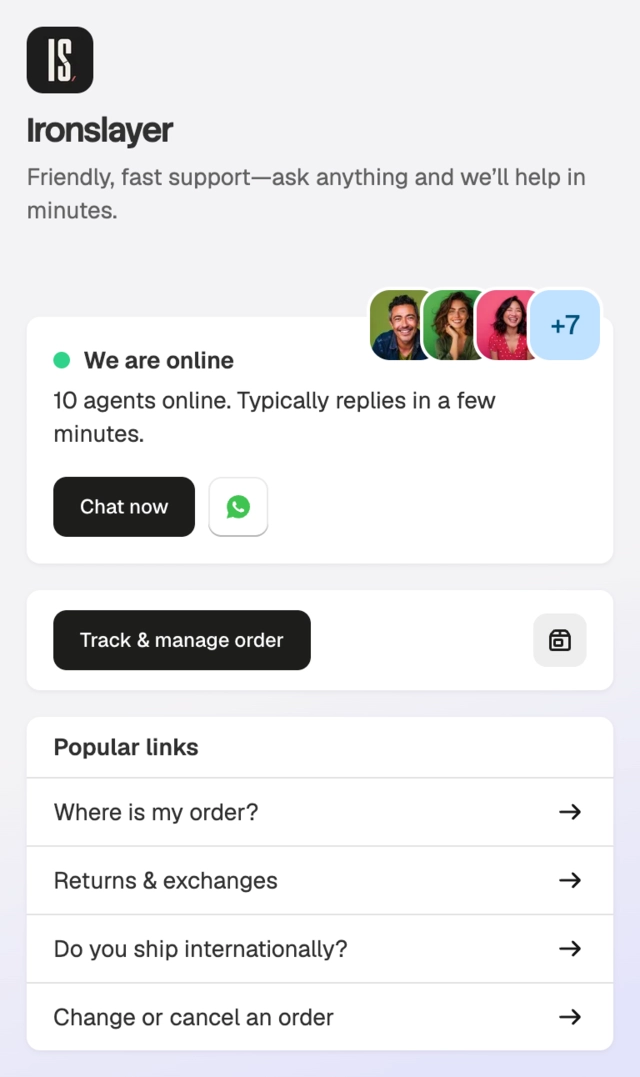
Chat widget
Customers open their orders from your Shopify-connected chat widget and make the allowed changes.


Checkout thank-you page
Add the Commslayer block to Shopify's thank-you page so a new order can be fixed immediately after checkout.
Shopify customer account
Add the block to the Shopify customer-account order status page for customers who come back later.

Show only the actions the order still allows
Customers only see actions allowed by the order status, editing window, blocked tags, and your settings.
Control which orders customers can edit
- The editing window is still open
- The order has not been fulfilled, cancelled, or closed
- The order does not carry a blocked Shopify tag
- The action is enabled in merchant settings
- Contact updates follow their own permission
Let customers make the common fixes
Turn each action on or off. Customers only see the changes you allow for an eligible order.
-
Update the shipping address
Correct the delivery address, with an option to keep the change inside the original country.
-
Change quantities
Increase or reduce eligible line-item quantities.
-
Swap a variant
Choose another available size, color, or product variant.
-
Update contact details or cancel
Correct the email or phone number, or cancel the eligible order with a reason.

Set the editing rules once
The same account-level settings control the chat widget, thank-you page, and Shopify customer-account block.
Controls for every surface
- 15 minutes through 24 hours, or until fulfillment
- Action-by-action permissions
- Blocked Shopify order tags
- Inventory check across all or the fulfillment location
- Optional Shopify tag for edited orders
- Custom banner text for Shopify extension surfaces
Keep the edited order visible in Shopify
Changes are applied to the Shopify order. Add the optional self-serve-edit tag so your team can find edited orders at a glance.
Frequently asked questions
How self-serve order editing works across Shopify and Commslayer.
 Book a demo
Where can customers edit an order?
Order editing is available in a Shopify-connected Commslayer chat widget, on the Shopify checkout thank-you page, and on the Shopify customer-account order status page.
Is order editing live inside the Commslayer customer portal?
The native Commslayer customer portal is not currently an order editing surface. Use the chat widget, checkout thank-you page, or Shopify customer-account block.
What can customers change?
Merchants can allow shipping-address edits, contact updates, quantity changes, variant swaps, and order cancellation. Each action has its own setting.
When does editing stop?
Choose a window from 15 minutes to 24 hours after the order is placed, or keep editing open until fulfillment. Address, quantity, variant, and cancellation actions stop when that window closes or the order is fulfilled, cancelled, or closed. Contact updates follow their own permission.
Can I block specific orders from self-service?
Add Shopify order tags such as fraud:high or manual-review to the blocked list. Orders carrying any saved tag do not expose address, quantity, variant, or cancellation actions. Contact updates follow their own permission.
Can customers change the delivery country?
The address permission includes a domestic-only option. Turn it on to keep address changes inside the country on the original order.
How is inventory checked for a variant swap?
Choose whether Commslayer checks total stock across all locations or stock at the order's fulfillment location before showing variant options.
Can my team find orders customers changed?
Turn on Shopify tagging to add a self-serve-edit tag after a customer changes an order. Commslayer also records high-level self-serve order editing events for reporting.
Is order editing included in every plan?
Order editing is included in every paid plan, but not in Free.
Ready to try?
Choose the allowed changes, set the editing window, and add order editing to the Shopify surfaces your customers use.
- Free plan
- 14 day trial on paid plans
- Cancel anytime