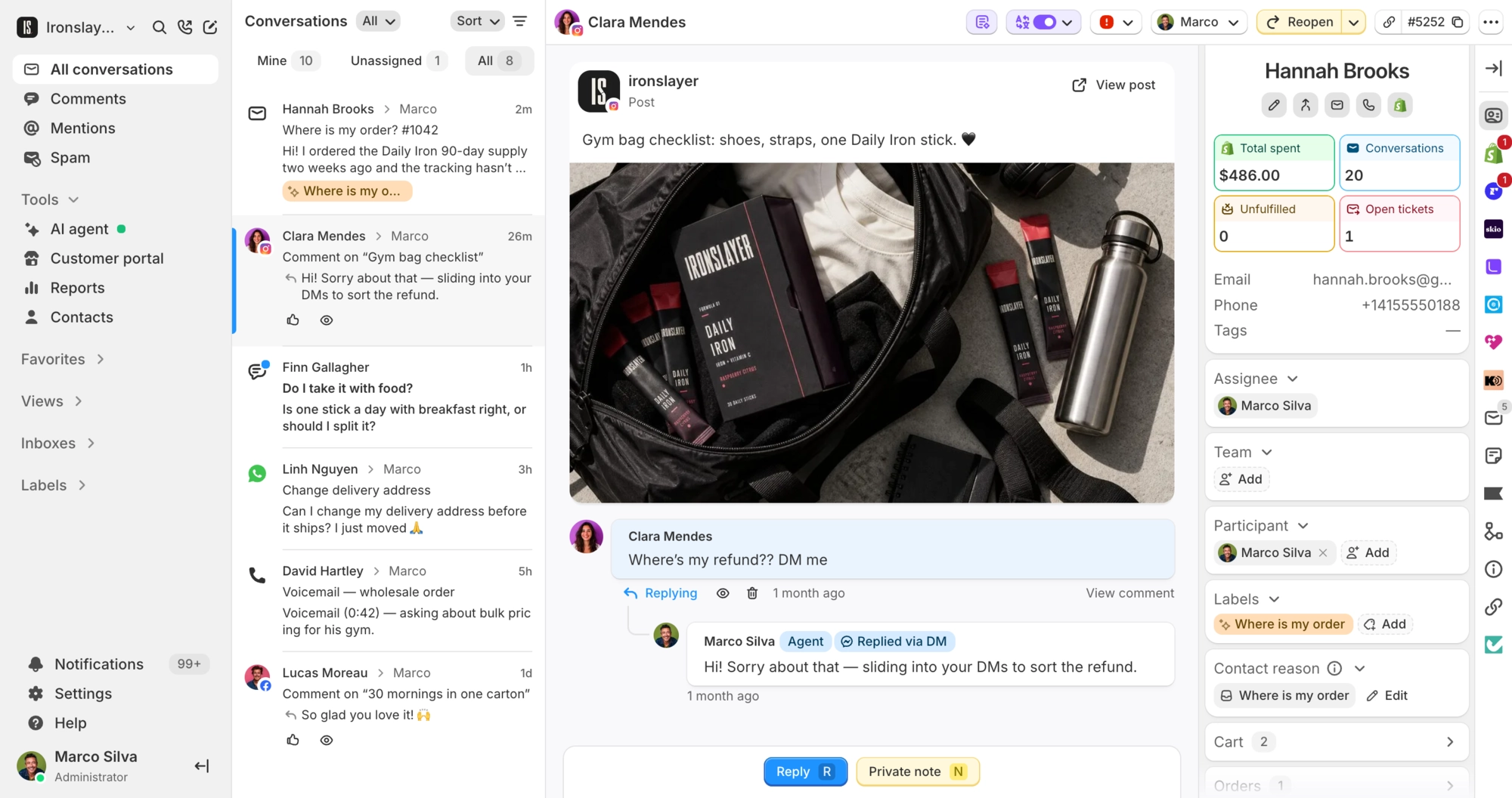
Manage your helpdesk from Claude or ChatGPT
Control your support operations directly from AI assistants. Search conversations, resolve tickets, create help articles, and update AI responses. All through chat.
 Book a demo






















One connection to your whole helpdesk
Connect Claude, ChatGPT, Claude Code, or any MCP-compatible assistant to Commslayer. Search conversations, resolve tickets, create help articles, and update AI guidance from chat.
Connect your assistant in a minute
Every Commslayer account uses the same server URL. Add it to your assistant, sign in to Commslayer, and start asking. There is no API key to create.
MCP server URL
https://app.commslayer.com/api/v1/mcp You can also copy it from Settings > MCP in Commslayer.
Claude
-
In Claude, open Connectors.
-
Click + and then Add custom connector.
-
Name it Commslayer, paste the server URL, and click Add.
-
Click Connect and sign in to Commslayer. If you have more than one store, pick it from the Account menu and click Authorize.
ChatGPT
Needs a ChatGPT Plus, Pro, or Business plan.
-
In ChatGPT, open Settings > Apps and turn on Developer mode.
-
Under Advanced settings, click Create app.
-
Name it Commslayer, paste the server URL, and set Authentication to OAuth.
-
Check “I understand and want to continue” and click Create.
-
Click Connect, then Continue to Commslayer.
-
Sign in to Commslayer. If you have more than one store, pick it from the Account menu and click Authorize.
-
The first time you use Commslayer in a chat, ChatGPT asks for permission. Allow it.
Claude Code
-
Run this in your terminal.
claude mcp add --transport http commslayer https://app.commslayer.com/api/v1/mcp -
In Claude Code, run
/mcpand pick commslayer. Sign in to Commslayer in the browser window that opens and click Authorize. -
Ask “What inboxes do I have in Commslayer?” to check it works.
Codex
-
Run this in your terminal.
codex mcp add commslayer --url https://app.commslayer.com/api/v1/mcp -
Run this, then sign in to Commslayer in the browser window that opens and click Authorize.
codex mcp login commslayer -
Ask “What inboxes do I have in Commslayer?” to check it works.
Using a different assistant? Add a remote MCP server with this URL and sign in to Commslayer when it asks.

Jacob Verified account.
@jforjacob
We did it
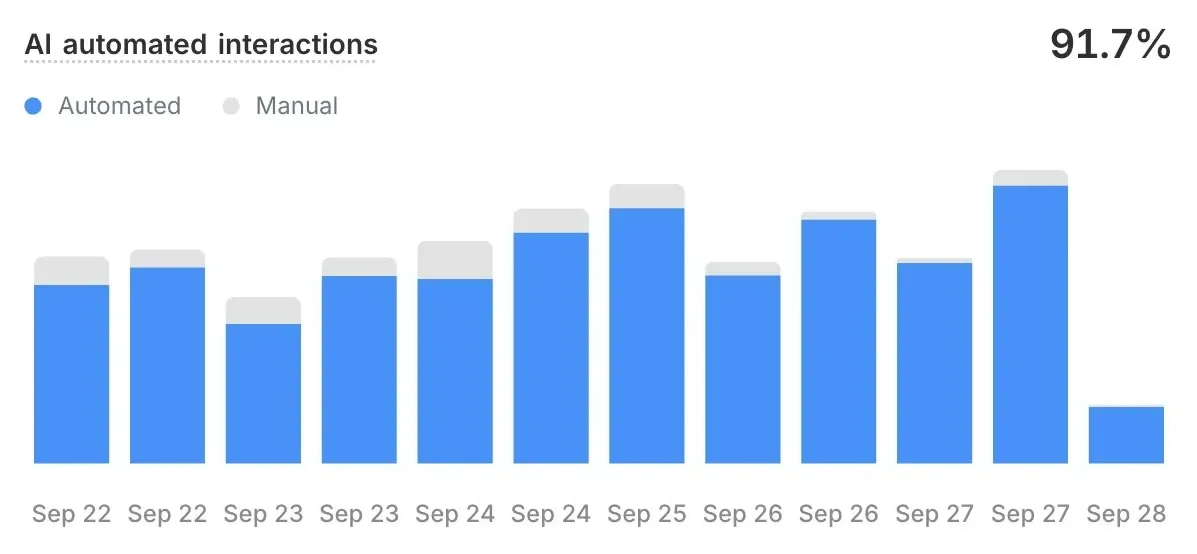
Over 90% of our tickets are now automated
Our CSAT has also never been better
@commslayercom goated
 Jacob Verified account.
@jforjacob
Jacob Verified account.
@jforjacob
Commslayer MCP + Claude Shit literally feels like cheating I’m pretty confident we can get to resolving 90%+ of tickets with AI with this setup Interesting as well, our AI agent in Commslayer has a higher CSAT score than any of our real agents For me, customer service has been where AI has been the most revolutionary and useful in our business
We wrote down how Jacob did it
Paste one prompt into Claude, ChatGPT, or any MCP assistant. Your assistant walks you through it: find what to automate, write the guidance, test it on your past conversations, then turn it on and track how it does. It asks before it changes anything.
Read the guideRun and configure your helpdesk through MCP
- Search the full support history
- Pull up any conversation by status, channel, label, date, or what was said inside it, across every ticket the inbox has ever handled.
- Reply, assign, label, snooze, and resolve tickets
- Work the queue from the chat window: send the reply, hand the ticket to a teammate or a team, tag it, put it to sleep, or close it.
- Pull Shopify order, customer, product, and subscription context
- Read the order, the customer, the catalog, and the subscription behind a ticket. Shopify data is read-only through MCP. Refunds, cancellations, and order edits stay inside the helpdesk.
- Run support and AI reports in plain language
- Ask for volume, response times, CSAT, contact reasons, or how the AI agent is doing, and get the same numbers the reports page shows.
- Manage customers, notes, fields, labels, and teams
- Update a contact, leave an internal note, add a custom field, rename a label, or check who sits on which team.
- Manage help articles, categories, portals, and saved replies
- Write and edit the help center, sort it into categories, set up a portal, and keep canned responses current.
- Configure and test the AI agent
- Change the agent’s settings, guidance, response examples, and actions, then run the change through the playground before a customer meets it.
- Find and close AI knowledge gaps
- See the questions the agent could not answer, write the answer it was missing, and mark the gap closed.
- Build macros, automations, and webhook actions
- Assemble a macro, set an automation rule, or point a custom action at your own endpoint, and test it from the same chat.
Use cases
- Spot repetitive questions
- Review conversation patterns to identify common issues worth automating or documenting.
- Build your help center
- Convert support threads into articles. Your team’s answers become searchable knowledge.
- Audit AI knowledge
- Check for conflicts across guidance, canned responses, and help articles. Keep your AI consistent.
- Find ad hooks from comments
- Pull real customer words. Use their exact language in ads, landing pages, and product descriptions.
What is MCP?
MCP (Model Context Protocol) is an open standard that lets an AI assistant use tools in other apps. Connect Commslayer and your assistant can search tickets, reply, and update your helpdesk from the chat.
Which assistants work with Commslayer?
Commslayer has setup steps for Claude, ChatGPT, Claude Code, and Codex. Other assistants that support remote MCP servers can connect with the same URL.
Is MCP included in my plan?
Yes. MCP comes with every Commslayer plan.
Who on my team can connect?
Anyone on your team can connect their own assistant. It gets the same access they have in Commslayer: the same inboxes, and only the actions their role allows.
Whose name do replies go out under?
Yours. Replies and notes sent through MCP always go out as the person who connected the assistant.
I run more than one store. Which one does it connect to?
Each connection works with one store. If you have more than one, pick the store from the Account menu when you sign in. You can’t switch it later. To work in another store, add a second connection with https://app.commslayer.com/api/v1/mcp/a/ followed by that store’s account ID. The account ID is the number after /accounts/ in your Commslayer address bar.
Can my assistant change Shopify orders?
No. Orders, customers, products, and subscriptions are read-only through MCP. Refunds, cancellations, and order edits stay in the helpdesk.
How do I disconnect?
Remove Commslayer from your assistant’s connectors or apps. When you remove a teammate from Commslayer, their assistant loses access right away.
Ready to try?
Connect your assistant, ask it what came in today, and let it close the easy half.
- Free plan
- 14 day trial on paid plans
- Cancel anytime