Little updates to not disturb your big week
We know you’re all heads down on peak season so here are some small updates to help and not disturb your busy team!
AI agent
Reply delay for each inbox
By popular demand, you can now define a reply delay time so your agent doesn’t look to robotic or to give your team a moment to step in.
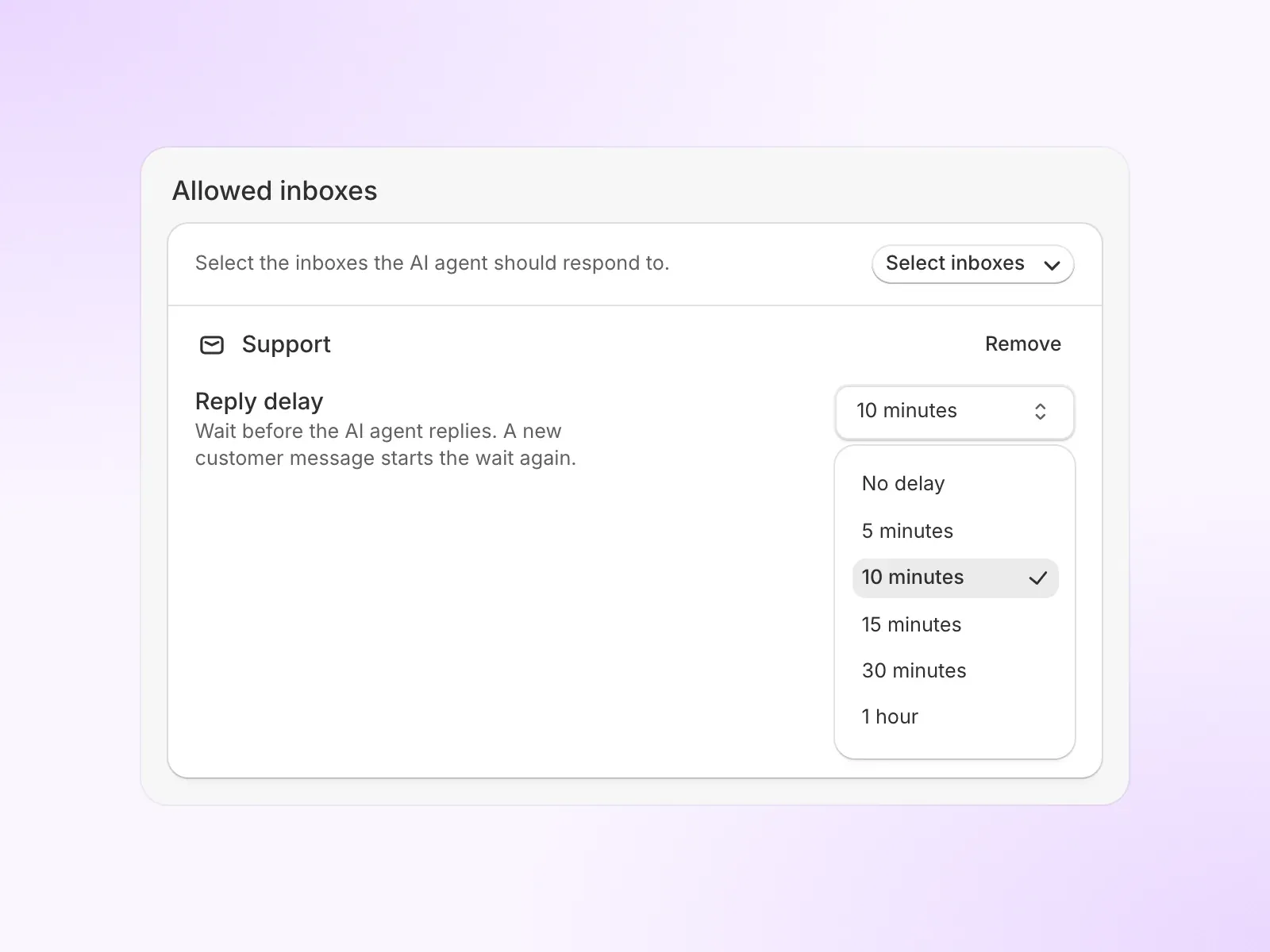
Set it per inbox in AI agent settings, under Allowed inboxes. Over MCP, settings_configure_inbox takes the delay in minutes. The playground and voice calls never wait.
Two new Shopify actions
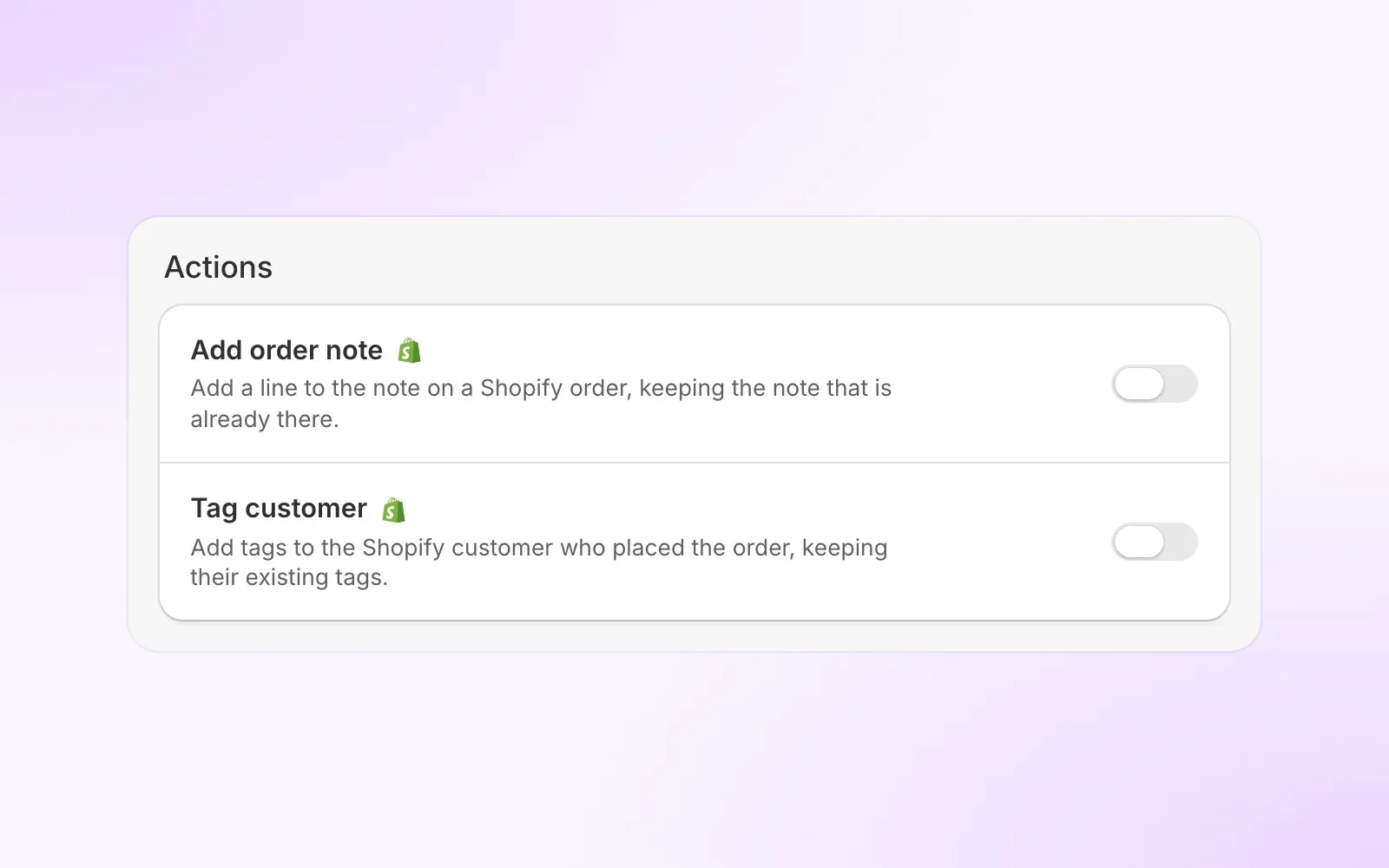
The AI agent can now record a request in Shopify on its own and tag customers:
- Add order note: the AI adds a line to a Shopify order’s note, keeping whatever note is already there.
- Tag customer: the AI adds tags to the customer who placed the order, keeping the tags they already have.
Test custom actions in the playground
The AI playground never ran a change action for real, so the AI got no result back and you could not see what it does next.
A change action now has a Playground response field. Paste a response your endpoint could send, and in the playground the AI gets it instead of the action running, limited to the response fields you picked. Lookup actions still run for real. Over MCP, custom_actions_create and custom_actions_update take a playground_response.
Pause the AI outside business hours
Each inbox can now keep the AI agent to its own business hours. Turn on Pause AI outside business hours in AI agent settings, under Allowed inboxes, and the AI stops taking new conversations in that inbox when it is closed. They wait for your team instead. There is also a matching Within business hours condition for automation rules.
Other updates
- Order status from contact forms: when a customer writes in through a Shopify contact form without an order number, the AI agent can look up their order status and tracking from their email address. Sensitive changes like refunds and cancellations still need full verification.
- Klaviyo profiles: the AI agent can read a customer’s Klaviyo profile and answer with what it holds, like their subscription status or recent activity.
Chat widget
More control over how the storefront chat widget looks and behaves.
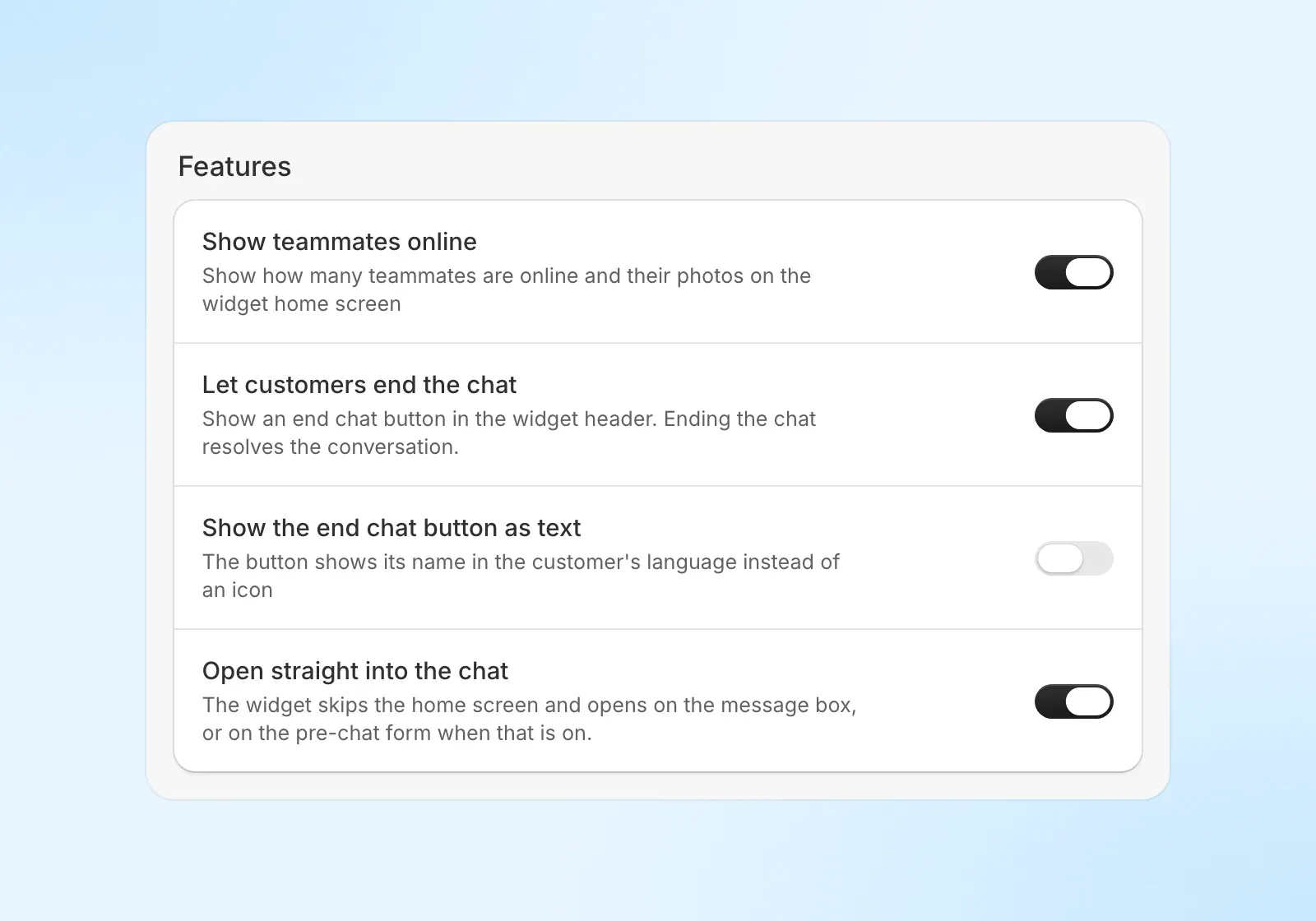
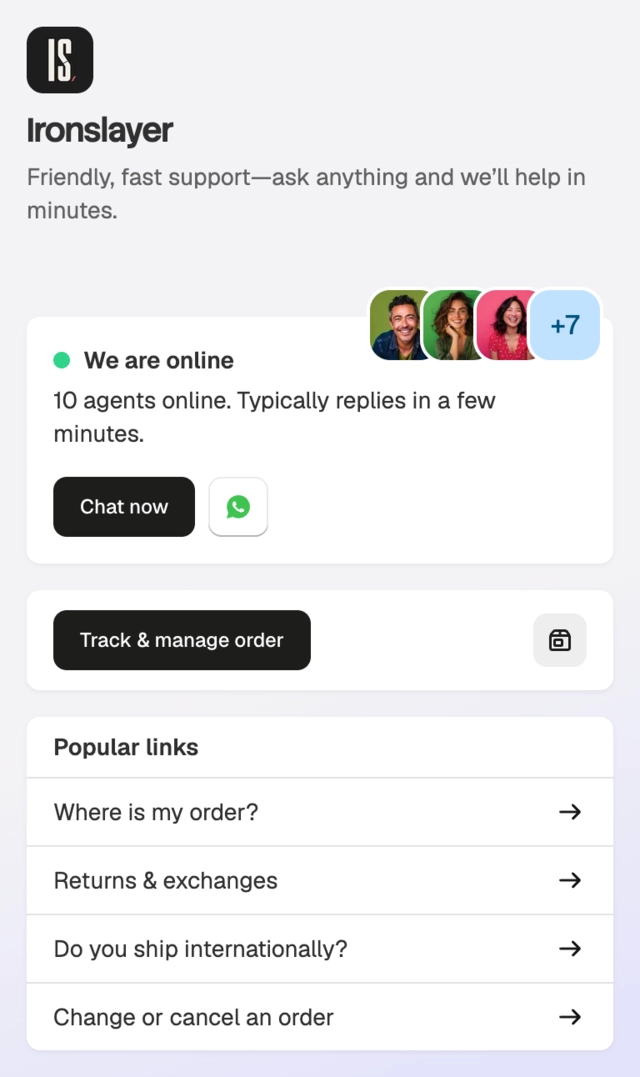
- Open by itself: set a delay to pop the chat open on its own, once per visit, desktop only.
- End chat button: let customers close the chat from the header, which resolves the conversation.
- End chat button as text: show it as a word in the customer’s language instead of an icon.
- Open straight into the chat: skip the home screen and land on the message box or pre-chat form.
- Teammates online: show or hide how many teammates are online and their photos.
Helpdesk
A daily refund cap and refund reasons
Account settings has a new Refunds section with two controls over how your team refunds.
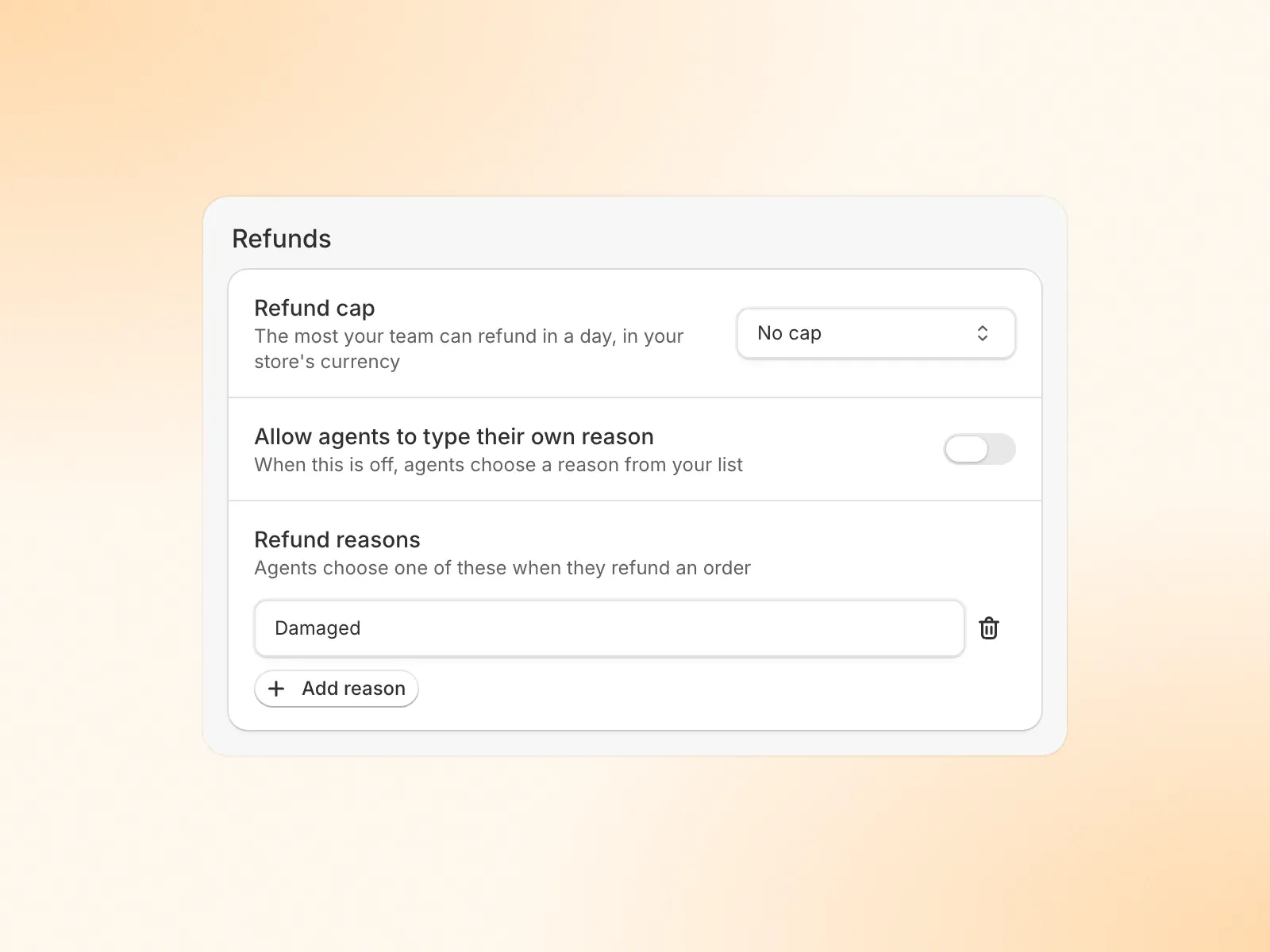
- Refund cap: set the most your account can refund in a day, across refunds and cancels that return money to the customer. Choose No cap, or Cap amount per day with the amount.
- Refund reasons: leave Allow agents to type their own reason on, or turn it off and give your team a fixed list of reasons to pick from when they refund an order.
Update a canned response from the reply box
Insert a canned response, improve the wording in the reply box, then save your version back to the shared response so the next person gets it too.
Choose Update canned response from the Insert menu, or the button under the reply box in the classic layout. A window shows your text with the customer’s name and other filled-in details turned back into placeholders. Check it and save, and the change applies for the whole team.
Custom attributes in the sidebar
Custom attributes could be set over the API and MCP, but the inbox never showed them, so a value your store relied on lived somewhere your team could not see or change.
Every conversation now has a Custom attributes section in the sidebar, split into Contact attributes and Conversation attributes. Every attribute your store has defined shows, with or without a value, and each one edits in place with the control for its type: text, number, currency, percent, link, date, list or checkbox. Clear a value to remove it. Attributes set without a definition stay visible, read only.
Smaller updates
- A longer undo-send window: each teammate can choose how long they can take back an email reply after sending it, under Profile settings → Undo send window: the default of about 4 seconds, or 10, 20 or 30 seconds.
- Send with Enter: chat can send replies with Enter again, and email keeps its own choice, so you can send chats with Enter while email stays on Cmd/Ctrl+Enter. Set both under Profile settings.
- Create a Shopify customer from the sidebar: when a contact is not a Shopify customer yet, the conversation sidebar can create one in that store from their name, email and phone, with nothing to retype.
- Notes from the sidebar: add, edit and delete a contact’s notes right from the Notes card in the conversation sidebar, with an Add note row waiting when the card is empty.
- Send surveys to fewer conversations: CSAT settings can limit the survey to conversations with chosen labels, and skip certain customers by email address or domain.
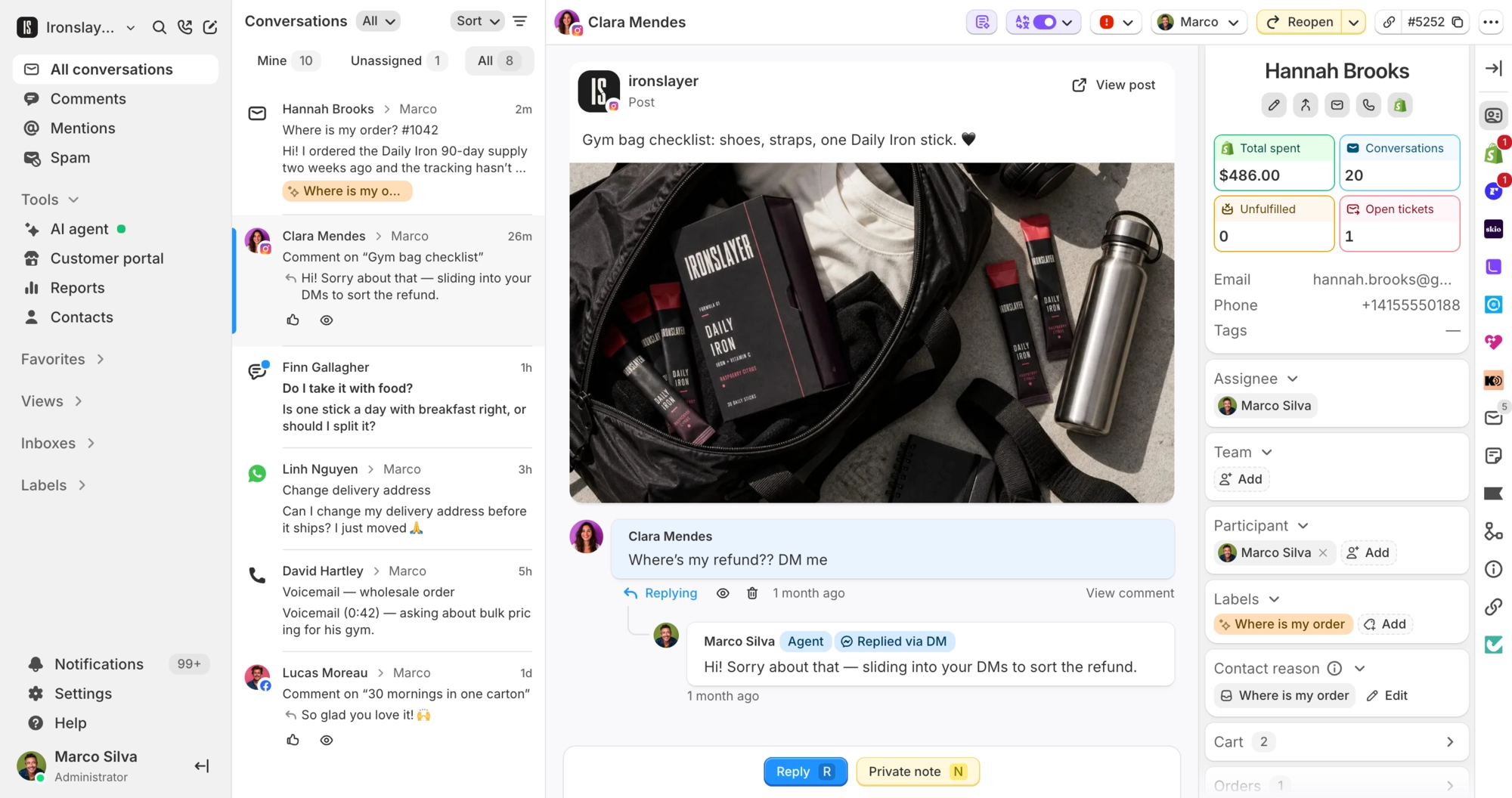
- Hide photo-only comments: optionally hide social comments that are only a photo, GIF or sticker, so comments with actual words still come through.
- Mark as read in bulk: select several conversations and mark them all read at once from the bulk actions.
- Hide comments in bulk: select several comment conversations and choose Hide comments or Unhide comments to hide or show every customer comment in them on the social platform.
- Remove labels in bulk: the bulk actions now have Remove label next to Add label. Pick one or more labels and they come off every selected conversation, so swapping one label for another no longer means going conversation by conversation.
- Order phone number on the Shopify card: the Shipping section of the Shopify order card now shows the order’s phone number, falling back to the billing phone when the shipping address has none.
- Point the portal contact button anywhere: set a Contact page link so the portal’s contact button opens your store’s own contact page or form.
- Set a new portal address as default: when a shopper changes an order’s shipping address in the portal, they can make the new address their default for next time.
- Clearer portal address edits: the address sheet now says the change covers that one order, so a shopper knows it is not editing every order at once.
MCP and API
- Order lookups:
shopify_get_orderwith aconversation_idreturns every order on the conversation with its shipping address and phone number. - Create a Shopify customer:
shopify_create_customercreates the customer for a contact in the conversation’s store. - Klaviyo profiles:
contacts_get_klaviyo_profilereturns a contact’s Klaviyo profile. - Test custom actions:
custom_actions_createandcustom_actions_updatetake aplayground_responsethe AI uses in the playground. - Hidden comments:
conversations_listtakescomment_hiddento find comment conversations whose comment is hidden, or those where every comment is still visible, and each comment row shows whether it is hidden.