Skip and reschedule Appstle orders with AI
The AI agent skips or moves the next order on request. Your team resumes paused subscriptions from the sidebar.
 Book a demo
- Subscriptions
- All plans





















Skips the next order or moves it to a later date
A customer wants to skip one delivery, and the AI skips the next order. Someone else is away for a few weeks, and it moves the next billing date to after they're back. It can also pause an active subscription.


Pauses or cancels once it knows who is asking
One customer emails to pause and the AI puts the subscription on hold. Another confirms they are leaving and gives a reason, and the AI cancels and records it. Email senders are matched to their Appstle customer automatically. On chat and WhatsApp the AI checks email and ZIP code first.


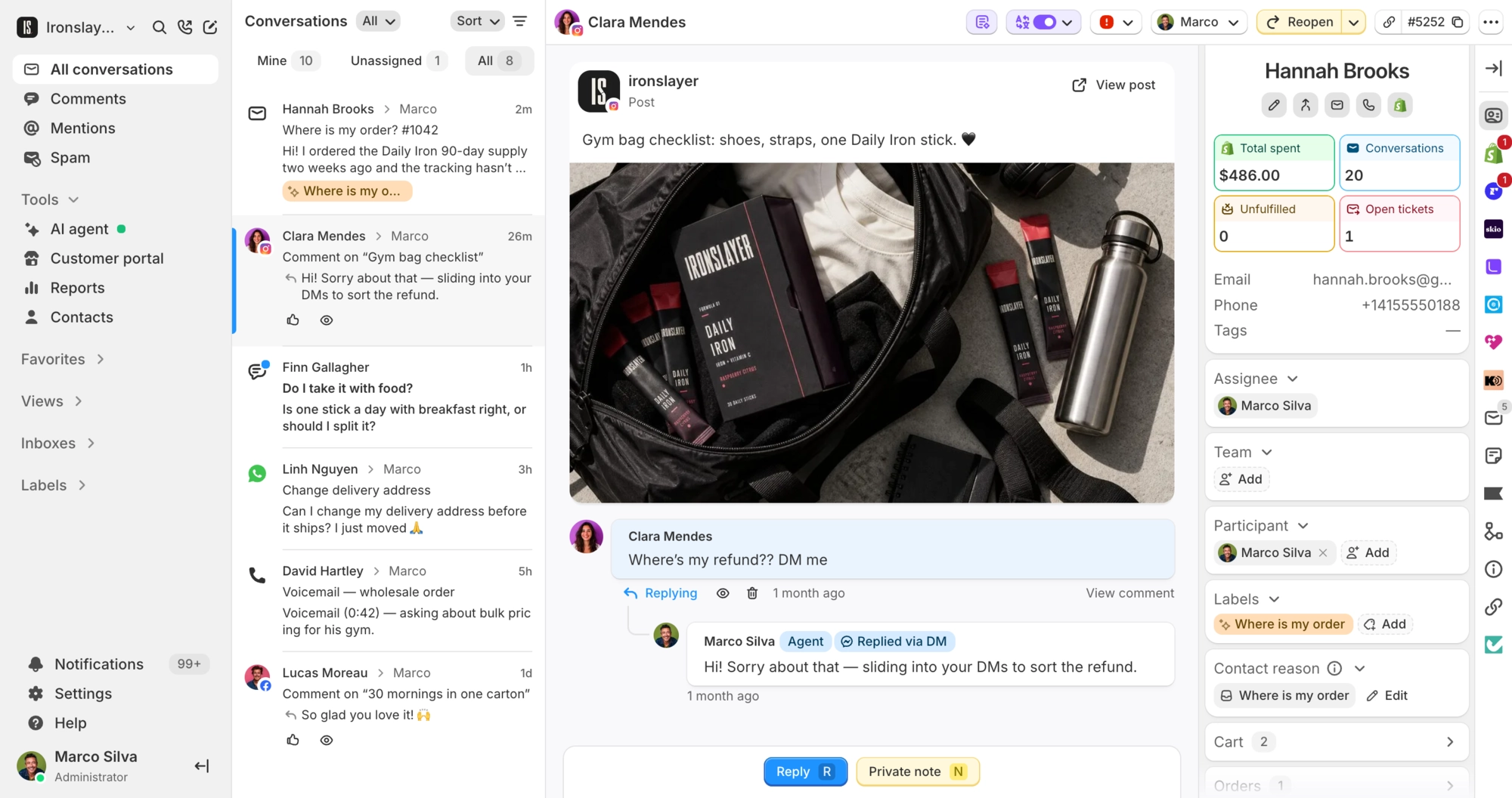
Every Appstle subscription next to the ticket
Status, products, price, billing frequency and next charge date sit in the sidebar, with a list of upcoming and past charges and a link to the contract in Appstle. Your team can pause, resume, skip, reschedule or cancel from there, and the same card shows on the contact profile.
What Commslayer can do in Appstle Subscriptions
-
See subscriptions
Team AI agentStatus, products and next billing date, matched by email. Your team also sees price, frequency, upcoming and past charges, and a link to Appstle.
-
Verify the customer
AI agentEmail senders are matched to their Appstle customer automatically. On chat, WhatsApp and social DMs, the AI checks email and ZIP code against the shipping address.
-
Pause
Team AI agentPuts an active subscription on hold. The AI won't pause one that is already paused.
-
Skip
Team AI agentSkips the next upcoming order.
-
Reschedule
Team AI agentMoves the next billing date to a new date in the future.
-
Cancel
Team AI agentNeeds a reason. Your team can cancel active or paused subscriptions. The AI cancels active ones after the customer confirms.
-
Resume
TeamTurns a paused subscription back on.
-
Change frequency
TeamBill every so many days, weeks, months or years. Needs a paid Appstle plan.
Which plan do I need?
Any plan.
How do I connect Appstle?
In Commslayer, go to Settings > Integrations > Appstle, click Connect and pick your Shopify store. Then approve the request in the Appstle app in your Shopify admin, under Partner connections. There is no API key to paste.
What can't the AI agent do?
It can't resume a paused subscription or change billing frequency, so those stay with your team. It also doesn't make retention offers for Appstle. All four AI actions start switched off. Turn each one on under AI agent > Actions and add conditions if you want them.
Who on my team can change subscriptions?
Admins, plus agents allowed to refund and edit orders, get the action buttons. Everyone else can see subscriptions but not change them.
What can't the integration change?
Products, quantities, variants, shipping address and discounts. Make those edits in Appstle. Only Appstle Subscriptions data comes through, not memberships, loyalty or bundles, and each Commslayer account connects one Appstle store.
Connect Commslayer and Appstle Subscriptions
Approve one connection request in Appstle, then switch on the AI actions you want.
- Free plan
- 14 day trial on paid plans
- Cancel anytime