Moderate Facebook comments with AI
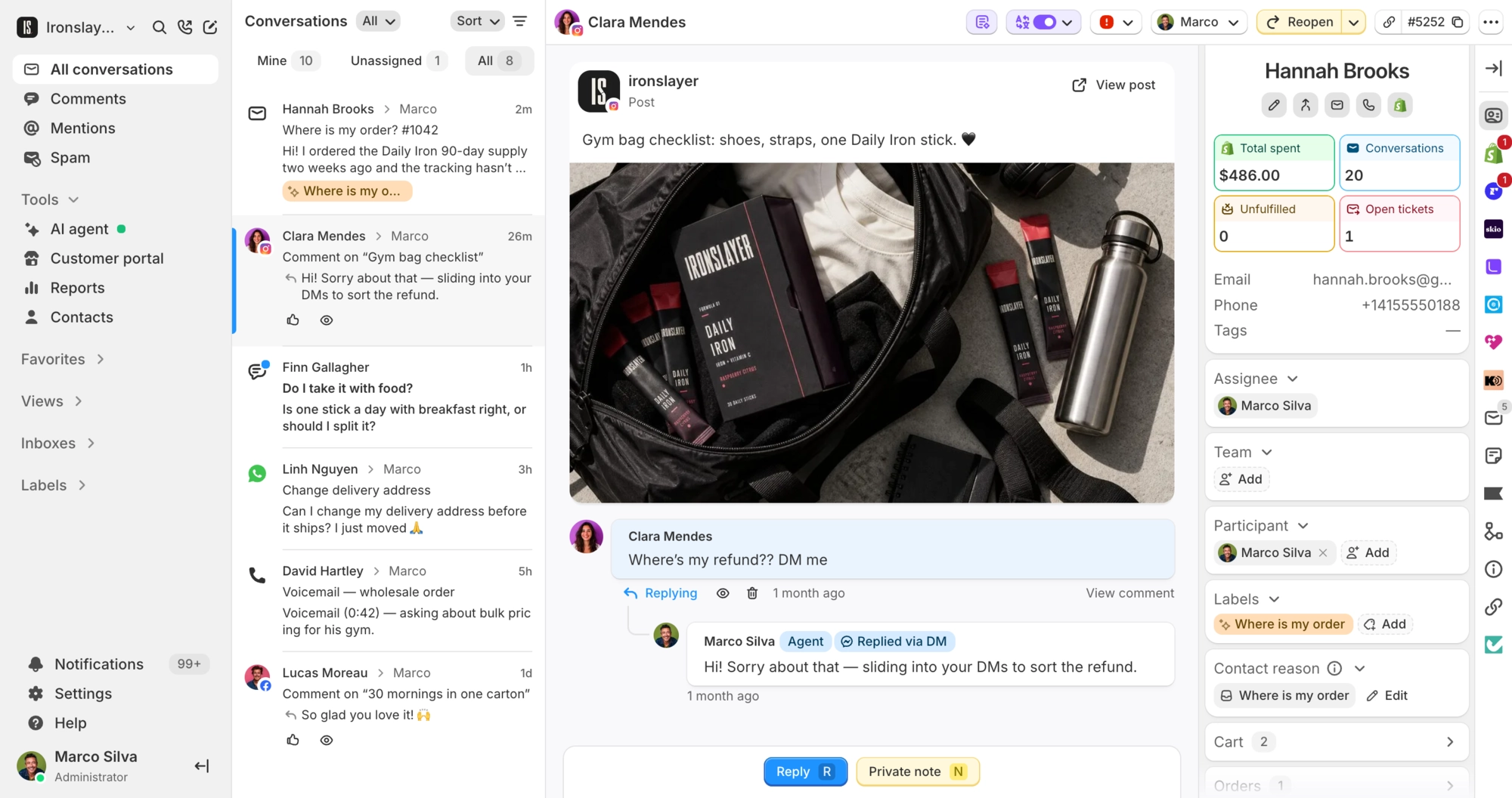
The AI hides spam and drafts replies to the rest. Your team sends them in public or by DM.
 Book a demo
- Channels
- All plans




















The AI hides spam under your posts and ads
On Plus and up, the AI reads each new comment alongside its post or ad and hides profanity, spam, links and plugs for marketplaces like Amazon or Temu. Hidden comments collect in their own view, so you can unhide anything that should stay.


A drafted reply on every comment worth answering
On paid plans, each new comment arrives with an AI draft in the reply box, next to the post text and image. Edit it, swap in a canned response, or send it as is. With AI moderation on, emoji-only comments and tags get no draft.

Answer a commenter in Messenger
Some questions don't belong under an ad. Reply via DM from the comment thread and the answer goes to the commenter's Messenger inbox, with the comment marked as answered by DM.


What Commslayer can do with Facebook
-
See comments
Team AI agentComments on your Page's posts and ads, with the post text, image and a link to it on Facebook. Replies your Page posts on Facebook show up in the thread too.
-
Draft replies
AI agentOn paid plans, a draft waits on each new comment. A person sends it.
-
Reply publicly
TeamText only. In a busy thread, pick the commenter you are answering.
-
Reply via DM
TeamA private Messenger reply, copied into the commenter's DM conversation.
-
Hide comments
Team AI agentThe AI and your keywords hide on Plus and up. Your team can hide or unhide any comment.
-
Like
TeamLikes or unlikes a comment as your Page.
-
Delete
TeamRemoves the comment from Facebook.
-
Block
TeamBlocks or unblocks the commenter from your Page.
Which plan do I need?
Any plan, including Free. AI drafts need a paid plan, and AI moderation and keyword hiding need Plus and up. Comments don't count toward your billable conversations.
How do I connect Facebook?
Go to Settings > Inboxes > Add inbox, pick Meta comments & DMs and log in with Facebook. Approve all the permissions and pick your Pages. Each Page gets a comments inbox and a Messenger inbox. Switch on AI moderation under Settings > Auto-moderation.
Does the AI agent reply to comments on its own?
No. It drafts, and a person sends. It won't reply via DM, delete a comment or block anyone. On comments, the only thing the AI does by itself is hide them, and a hidden comment can be unhidden.
Do older comments come in?
No, only comments posted after you connect. Visitor posts, reactions, shares and Page mentions stay on Facebook, and edits made to a comment after posting are not synced.
Can I see how fast we answer comments?
Yes. The Social comments report shows comment volume, reply rate, time to first reply and how many were hidden or deleted, split by agent and Page.
Connect Commslayer and Facebook
Connect a Facebook Page and handle its comments next to your email and chat.
- Free plan
- 14 day trial on paid plans
- Cancel anytime