Pause and save Kaching subscriptions with AI
The AI agent pauses on request and offers your discount before it cancels. Your team adds discounts in the sidebar.
 Book a demo
- Subscriptions
- All plans





















Your discount first, then a permanent cancel
When a customer asks to cancel, the AI offers your discount, like 15% off the next 2 orders, and applies it on a yes. A second offer can follow a no. Kaching cancellations are permanent from Commslayer, so the AI cancels only after the customer confirms that.

Pauses and restarts on request
A customer emails to pause, and the AI puts the subscription on hold. When they come back on WhatsApp to start again, it checks their email and ZIP code, resumes the subscription and tells them the next billing date.


Add a discount without opening Kaching
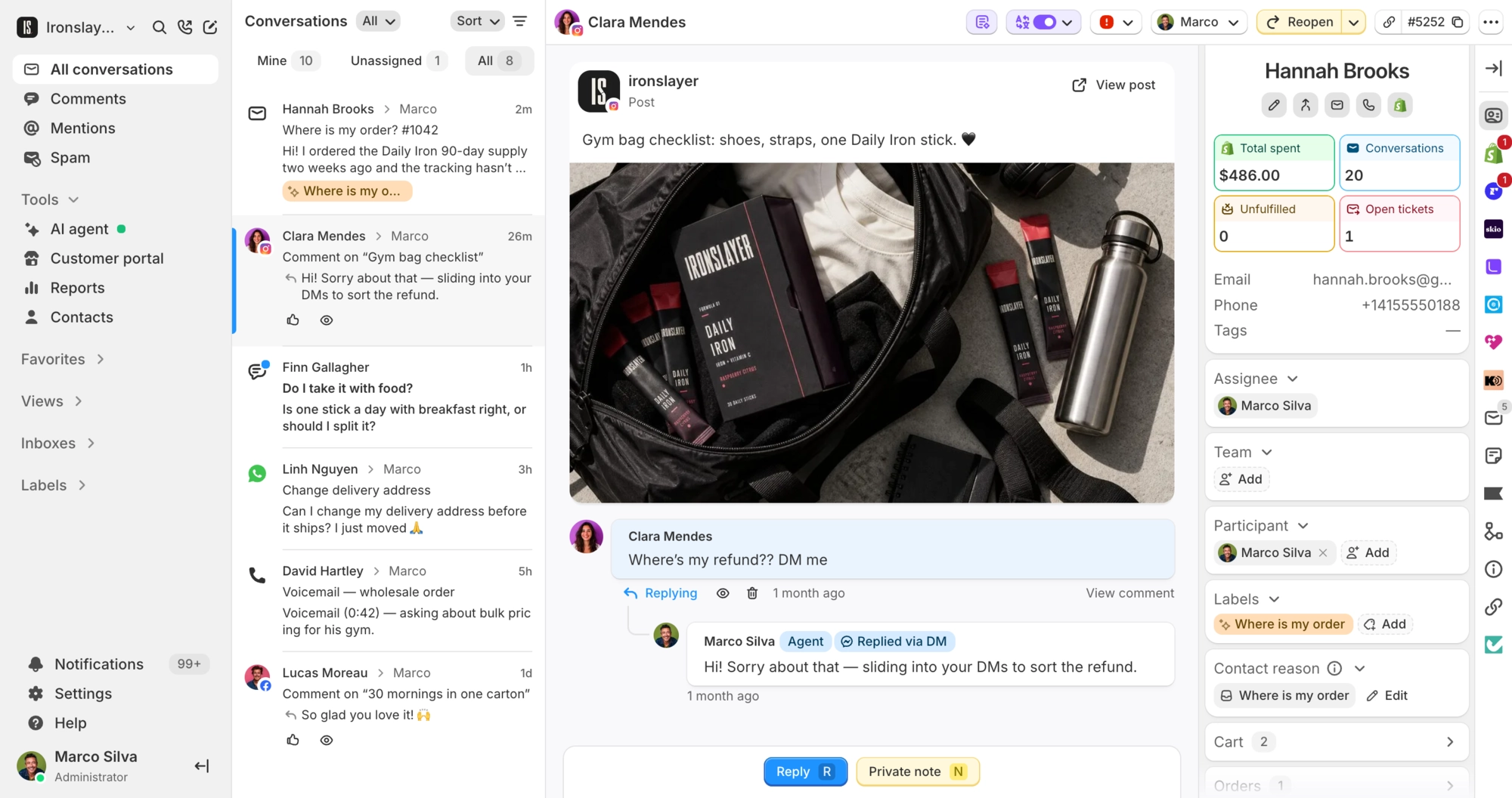
The sidebar lists the customer's subscriptions with status, products, price, billing frequency and next charge date. Your team can pause, resume, cancel or add a percentage discount.
What Commslayer can do in Kaching Subscriptions
-
See subscriptions
Team AI agentFound by the customer's email, with status, products and the next charge date. The sidebar adds price, billing frequency and a link into Kaching.
-
Pause
Team AI agentPuts an active subscription on hold.
-
Resume
Team AI agentRestarts a paused subscription.
-
Cancel
Team AI agentThe AI gets a reason and a clear yes first. Any reason is saved as a private note on the conversation.
-
Retention offer
AI agentOne or two percentage offers, tried in order before a cancel. Each covers 1 to 12 upcoming orders.
-
Apply a discount
Team1 to 100% off for 1 to 12 upcoming orders, from the sidebar.
Which plan do I need?
Any plan.
How do I connect Kaching Subscriptions?
In the Kaching Subscriptions app, create an API key with all permissions enabled. In Commslayer, go to Settings > Integrations > Kaching, pick your Shopify store, paste the key and click Connect. The key has to belong to that store, so connect Shopify first. The AI actions start switched off, so turn on the ones you want under AI agent > Actions.
Can the AI skip or reschedule an order?
No, and your team can't do it from Commslayer either.
Can any agent change a subscription?
Admins, plus agents allowed to refund and edit orders. Each pause, resume, cancellation and discount shows up in the subscription's activity timeline, marked as done by a person or the AI.
What can't Commslayer change on a Kaching subscription?
Billing frequency, products, quantities and the address. A cancelled subscription can't be brought back, and discounts are percentage only. Once a discount is applied it can't be removed from Commslayer, and a second one stacks on top.
Connect Commslayer and Kaching Subscriptions
Connect your Shopify store, then add one Kaching API key.
- Free plan
- 14 day trial on paid plans
- Cancel anytime