Answer Rivo points questions with AI
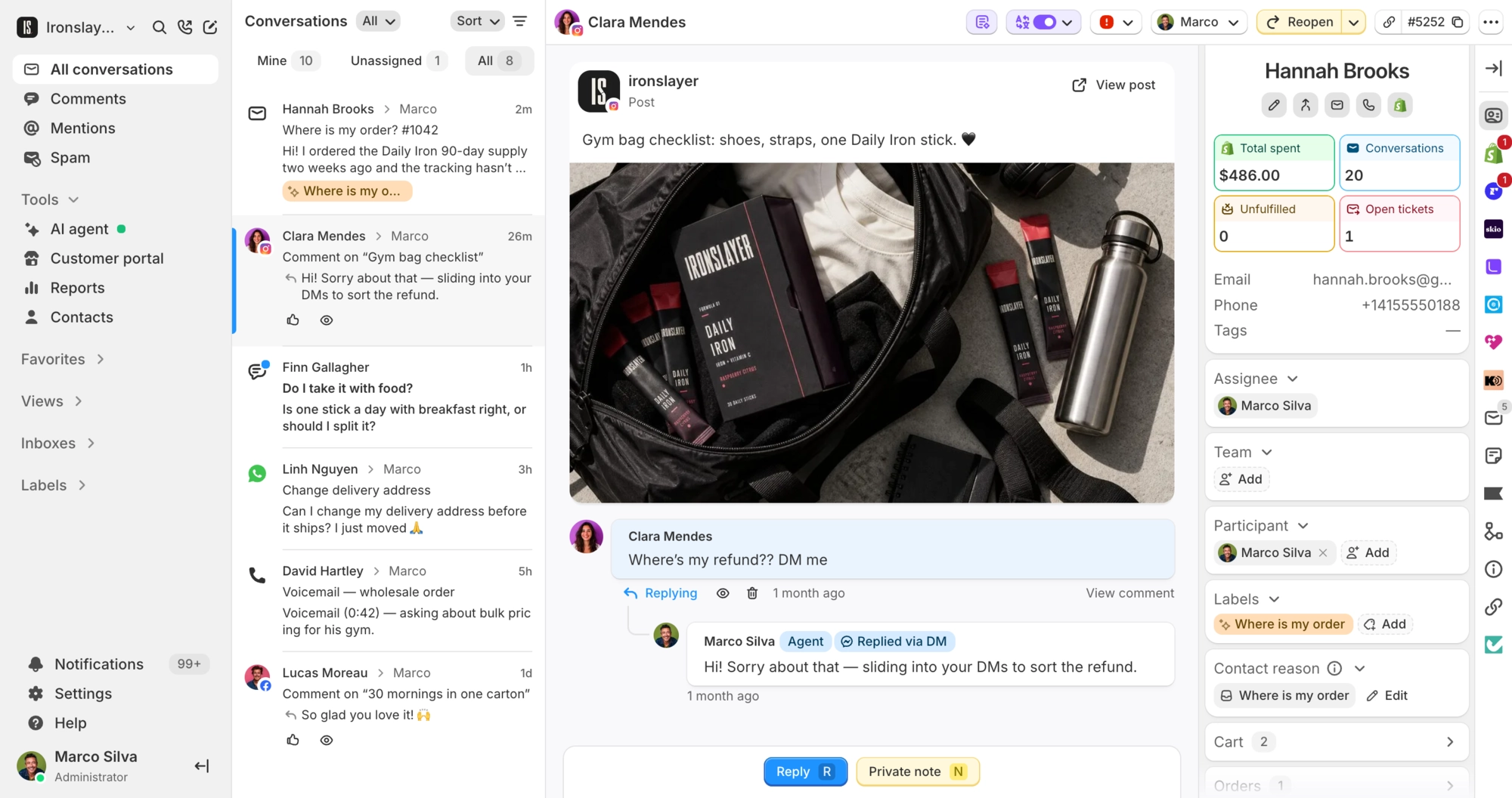
The AI agent looks up balances and can redeem subscription rewards. Your team adjusts points from the sidebar.
 Book a demo
- Loyalty & memberships
- All plans





















Answers “how many points do I have?”
The AI checks Rivo and replies with the balance, VIP tier and the subscription rewards the customer can afford right now. It also finds unused codes they already have.


Spends points on the next subscription order
Off until you turn it on. The AI quotes the reward, its points cost and the balance left, then waits for the customer's yes. Rivo applies the reward to their next subscription order, and the AI shares the code too.

Adjust points from the conversation
Points, VIP tier, membership, referral link and the last 10 points changes sit in the Loyalty section of the sidebar. Anyone on your team can adjust points, redeem a reward or cancel a membership there, and each change leaves a private note.
What Commslayer can do in Rivo
-
See loyalty details
Team AI agentPoints balance, loyalty status, VIP tier, next tier and unused codes, found by the customer's email. Your team also sees lifetime points, membership and the referral link.
-
Verify the customer
AI agentAutomatic on email when the sender matches. On other channels the customer gives an order number and the email on it.
-
Redeem a reward
Team AI agentYour team can redeem any reward a member can afford. Once you turn it on, the AI redeems subscription rewards only, one per conversation, after the customer says yes. A redemption is final.
-
Adjust points
TeamAdd or subtract points with an internal reason and an optional note for the customer. Can't take away more than the customer has.
-
Cancel a membership
TeamAt the end of the billing period or right away, with an optional reason kept in a private note.
Which plan do I need?
Any plan.
How do I connect Rivo?
In Commslayer, go to Settings > Integrations > Rivo. Connect your Rivo account, or paste a Rivo API key from Settings > Developer toolkit in Rivo. Points lookup for the AI turns on right away. Redeeming stays off until you switch it on.
How does the AI know it's talking to the member?
It verifies them before looking anything up. On email, the sender's address has to match. On chat and other channels, the customer gives an order number and the email on that order.
What can't the AI agent do?
It can't adjust points, cancel or change memberships, or change VIP tiers. It won't redeem one-time rewards, redeem for guests or excluded customers, or redeem twice in one conversation. You can also require approval before it redeems anything.
Who on my team can make loyalty changes?
Anyone on your team who can open the conversation. Every change leaves a private note with who made it and why. Only admins and managers can connect or disconnect Rivo.
Can a redemption be undone?
No, not from Commslayer. The AI quotes the cost and waits for a yes before it redeems. If it can't confirm a redemption went through, it hands the conversation to your team instead of trying again.
Connect Commslayer and Rivo
Connect Rivo and the AI starts looking up balances right away.
- Free plan
- 14 day trial on paid plans
- Cancel anytime